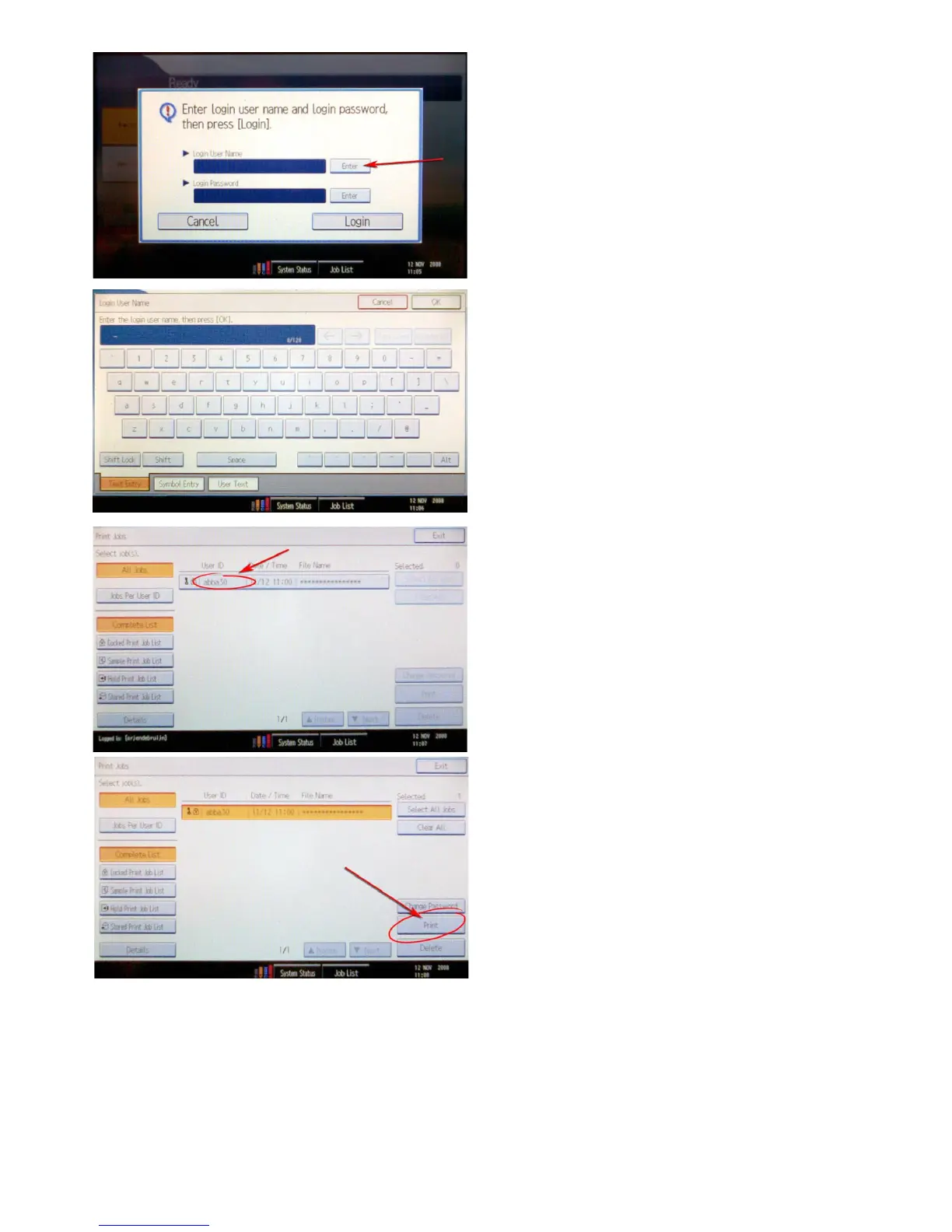
The printer will ask you for your login name and pass-
word.
Pushonthe‘Enter’buttonnexttotheloginnameeld:
Look up your print job in the list of print jobs that ap-
pears. You can identify your print job by the ‘UserID’
that you made up earlier, which in case of our example is
‘abba30’.
Use the ‘Next’ and ‘Previous’ buttons to scroll down in the
list when needed.
Fill in your NetID username with the keyboard that ap-
pears.
Repeat these steps to enter your NetID password. Then
push the button named ‘Login’.
Next, click on ‘Print’.









 To Next Page