62
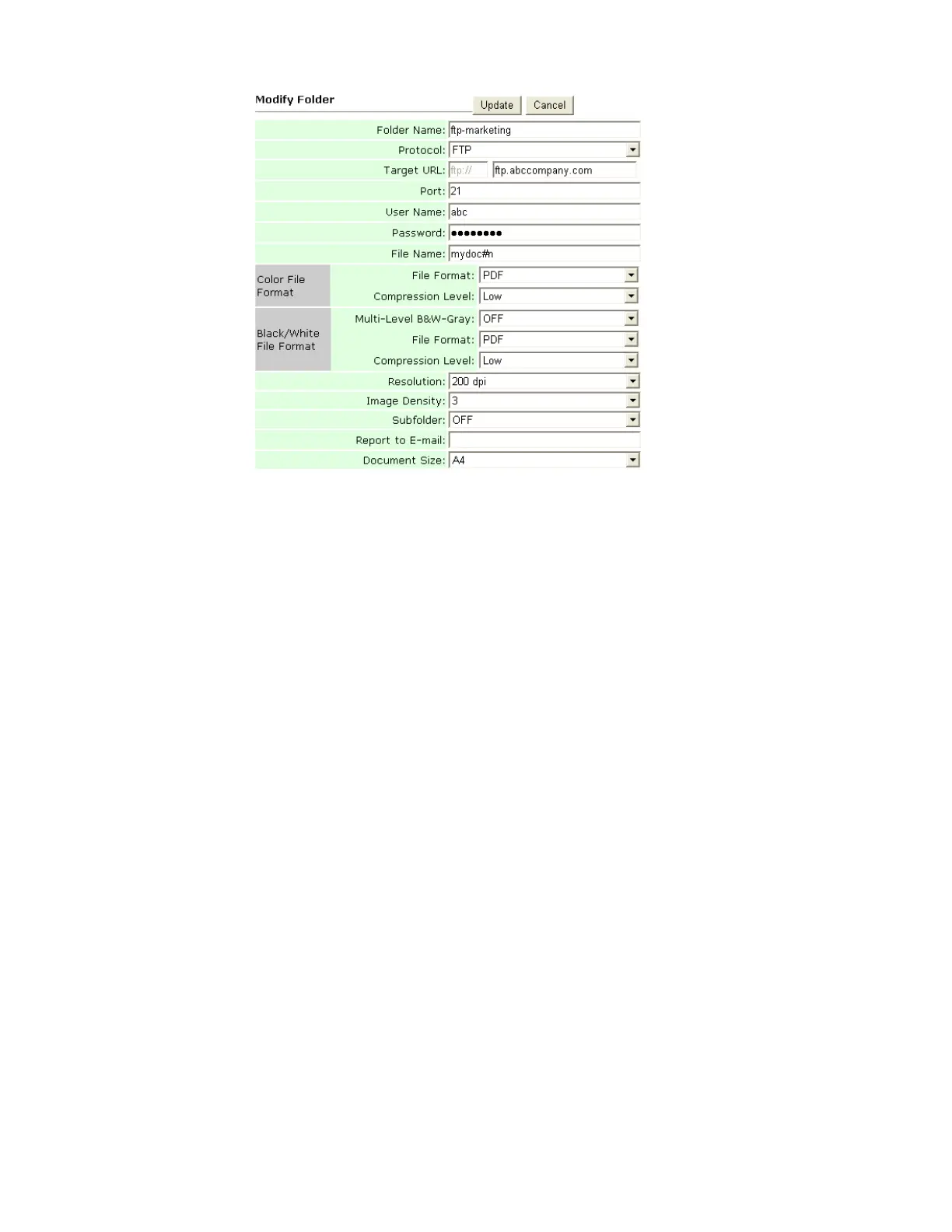
3. Modify your folder content and click Update to temporarily save the latest data,
or Cancel to exit and then return to the Folder Manager screen.
4. In the Folder Manager screen, click Update to permanently save all the latest
changes on the product, or Exit to leave without saving any latest change.










 To Next Page