To Next Page

K
Kyle BrownNov 5, 2025
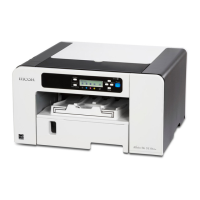
How to fix software installation problems on a Ricoh SG 3110DN Printer?
- KKatherine FrancoNov 6, 2025
If the software installation fails on your Ricoh Printer, first, try installing the software again. Ensure that the CD-ROM is properly inserted and not damaged, and verify that the CD-ROM drive is functioning correctly. Confirm that both the power cord and USB cable are correctly connected and undamaged. Check that your computer's operating system is fully compatible with the printer. Also, ensure you have sufficient hard disk space. Close all other applications during installation to prevent disruptions. If the machine was on before installation, turn it off and then on again, and retry 'Quick Install for USB'. For USB connection issues, turn off the printer, disconnect the USB cable, restart 'Quick Install for USB', and turn the printer on when prompted. If Windows made automatic USB set...
 General