6 User interface
As soon as the dealer has prepared the HortiJet Pro for use, you can operate the
HortiJet Pro.
This section first explains how to operate the power switch and the HortiJet pump.
After that, you will find instructions on how to operate the HortiJet Pro using Synopta.
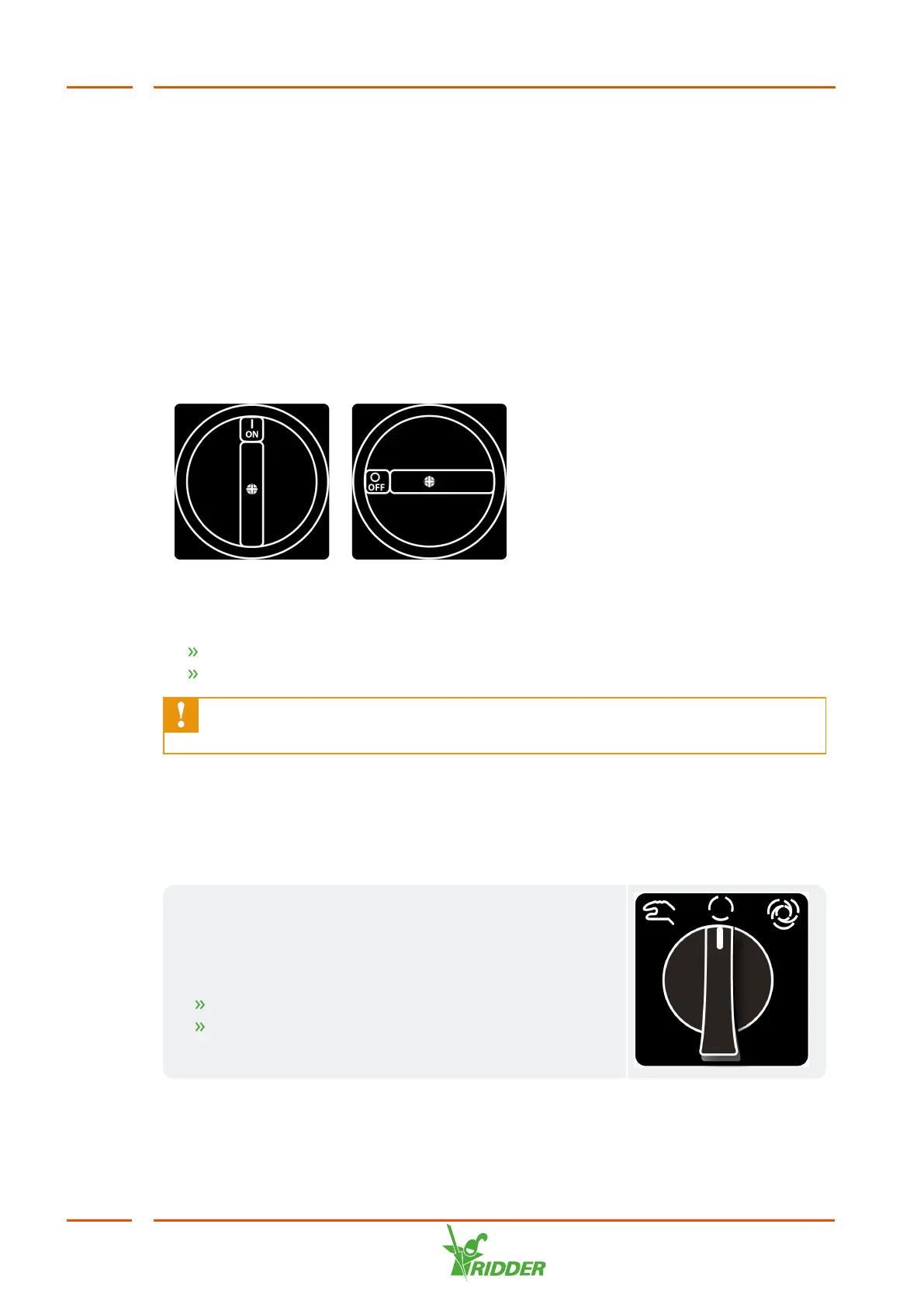
6.1 Power switch
The power switch is located on the cabinet of the HortiJet.
Figure 6-1: The power switch.
Operation:
Turn to position I (on) to switch on the HortiJet.
Turn to position 0 (off) to switch off the HortiJet.
The power switch can also be used as an emergency stop. Turn the switch to
the 0 (off) position to switch off the HortiJet Pro immediately.
6.2 Operating the HortiJet pump
The knob to operate the HortiJet pump is located on the cabinet. The knob has three
modes of operation: off, manual operation and automatic.
HortiJet pump off
In the off mode, the HortiJet pump is switched off and
cannot be activated by the controller. You can use this
function to:
stop the HortiJet pump in an emergency situation;
switch the HortiJet Pro off for a prolonged period of
time.
HortiJet Pro
42


 To Next Page