38
1.3.2 Back Panel
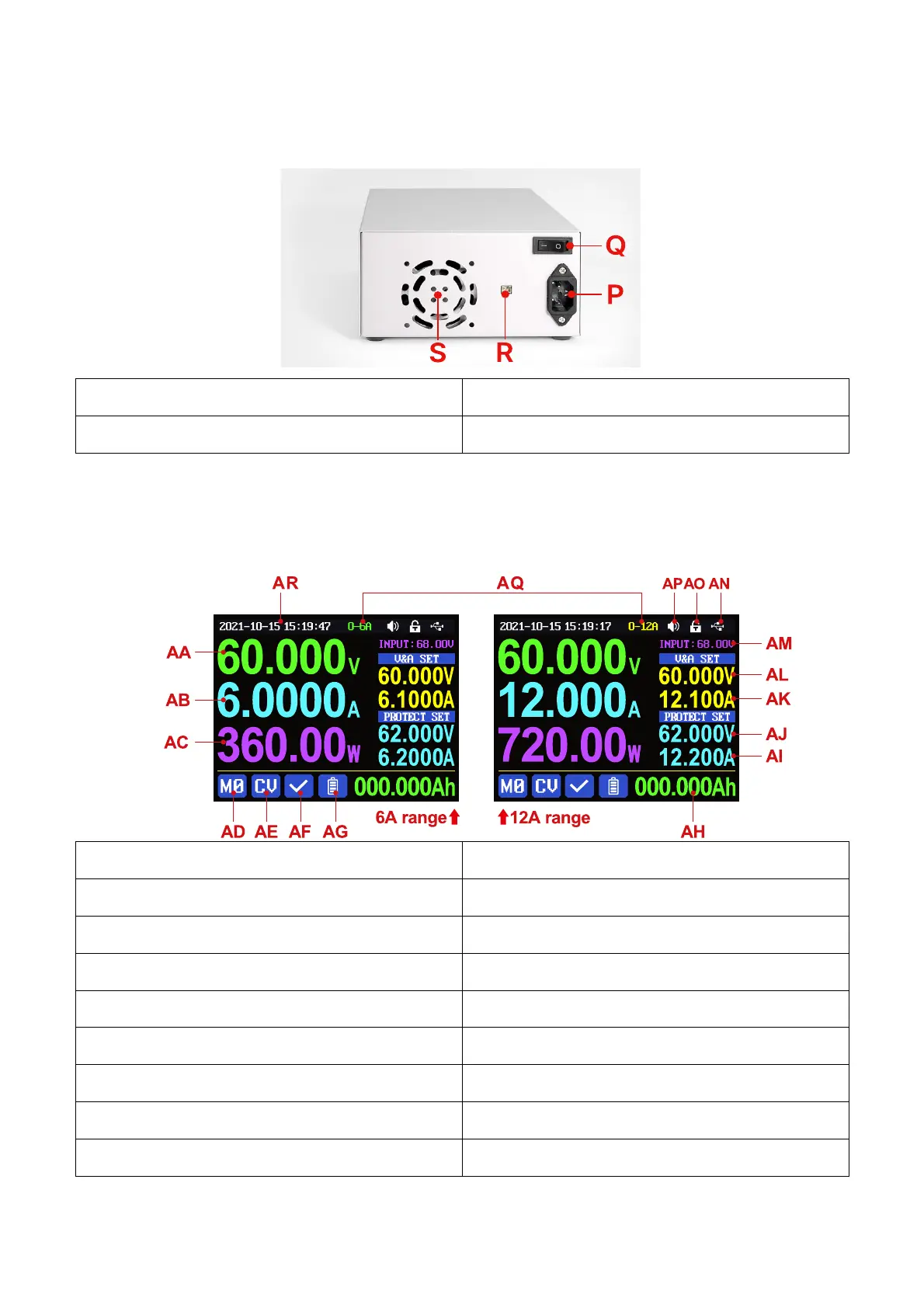
R: External temperature sensor socket
S: Heat dissipation holes
1.4 Operation Instruction
After power-on, it will show boot image first, and then enters the main page.
1.4.1 Main Page
AA: Actual output voltage value
AB: Actual output current value
AE: Constant voltage Constant current status
AF: Protection status indication
AG: Battery charging indication
AH: Battery related information display area
AI: Over current protection value(OCP)
AJ: Over voltage protection value(OVP)
AK: Output current preset value
AL: Output voltage preset value
AN: Communication interface
AQ: Current range (only for RD6012P user)



 To Next Page