47
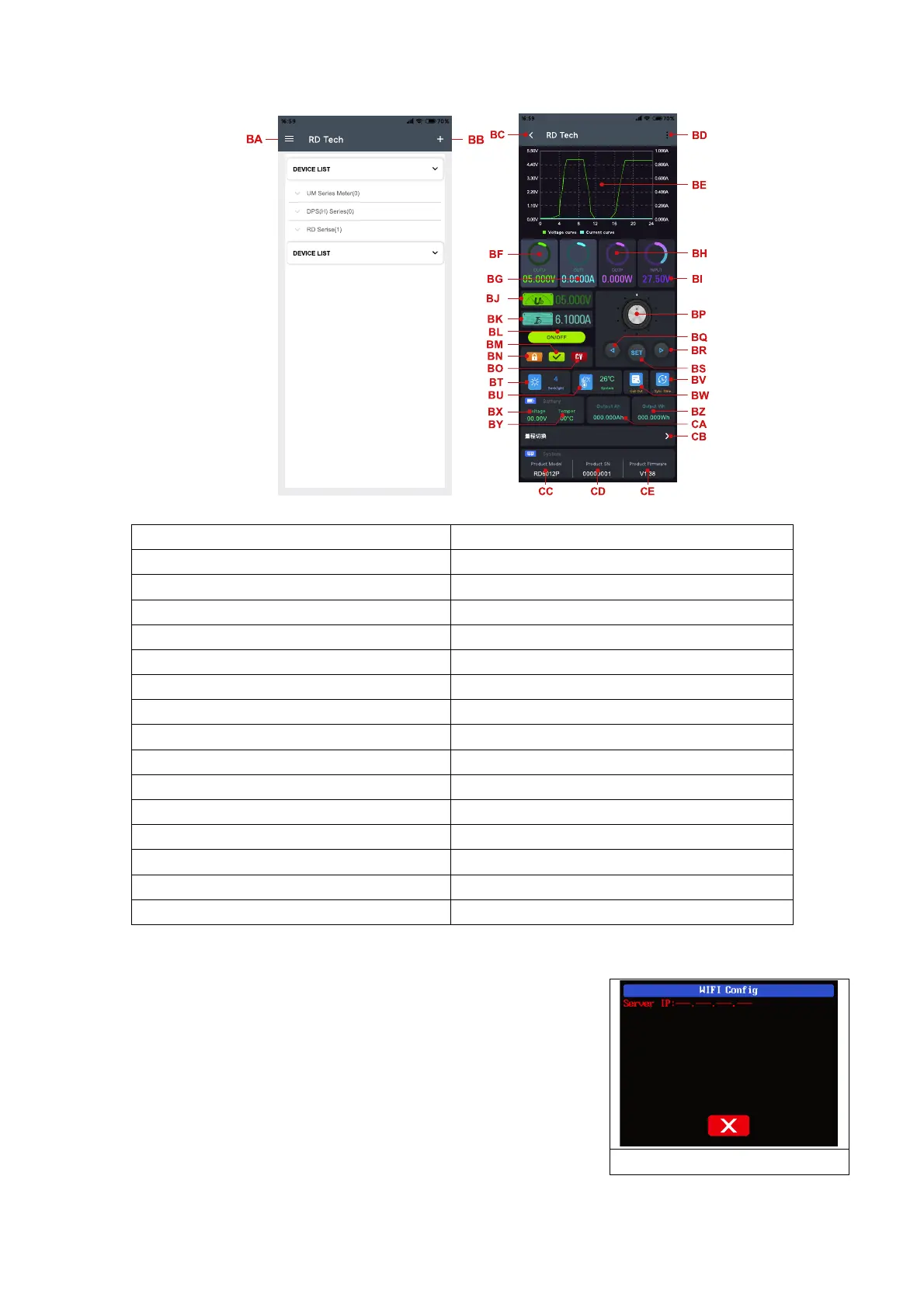
BQ: move the cursor to the left
BR: move the cursor to the right
BF: actual output voltage
BG: actual output current
BW: data group quick call out
BY: external sensor temperature detecting value
BZ: accumulated output capacity
CA: accumulated output energy
BM: protection status indication
BN: keypad lock indication
BO: constant voltage/current status indicator
CE: product firmware version
2.2.3 APP Operation
2.2.3.1 Network Distribution
Connect Wi-Fi for the first time, please insert the WiFi board
to the right position, then power on RD6012P, you will see the blue
LED blinks once. Set the communication interface to WIFI, restart
RD6012P, then place the RD6012P and the mobile phone close to
the 2.4G router (the mobile phone must also be under the same
2.4G network, and the router must disable the AP isolation
function and the WMM function).



 To Next Page