44
Address is set to 001 by default, you can set it between 001 and
255;
The Baud rate and address on the device should be same with
the information on PC software or APP. You can see more
communication at PC software and APP section.
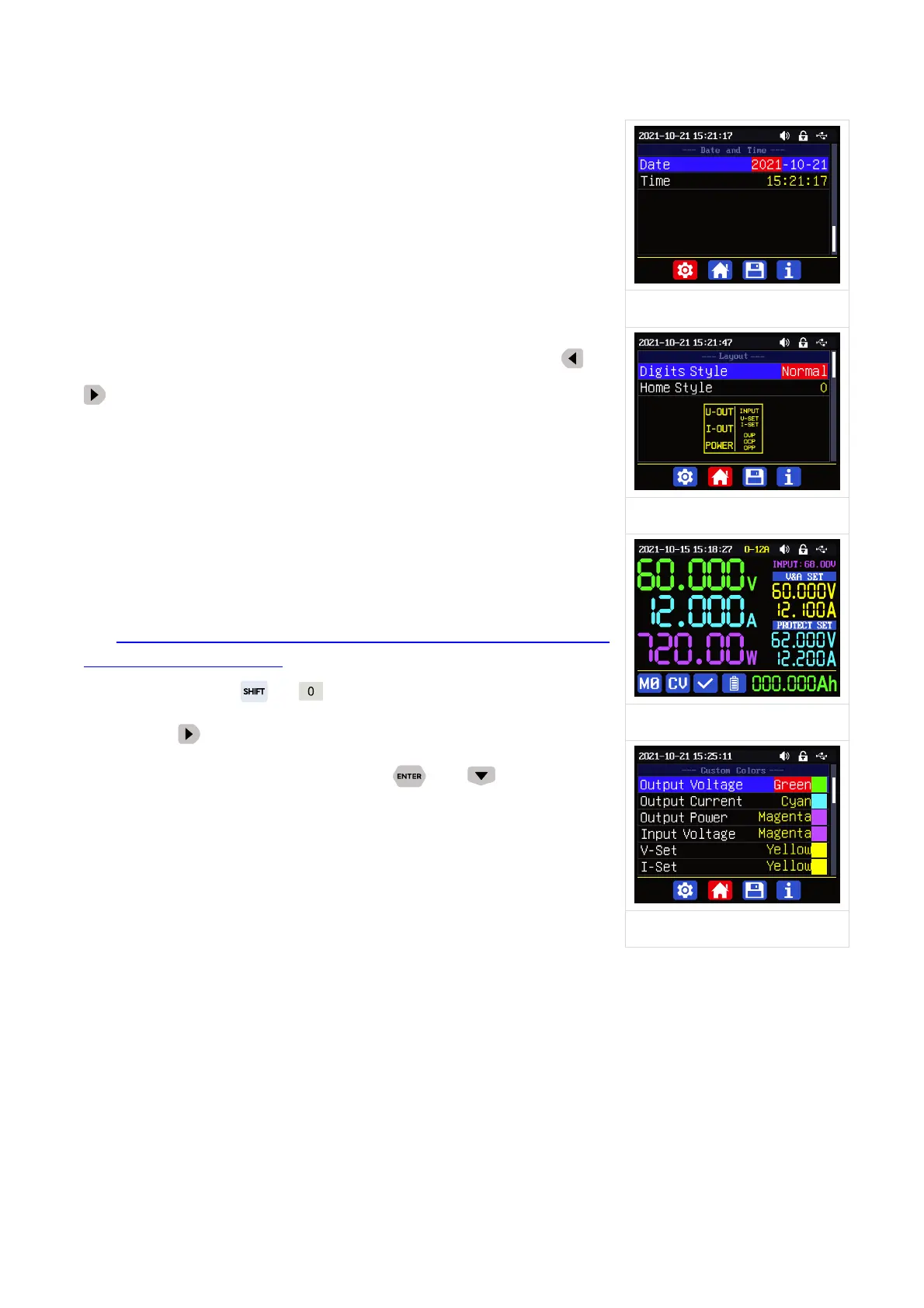
Date and Time Sub-Menu(
Figure 9
):
Date and Time can be set from Year 2000 to 2100, press
or
you can select the option, and use encoder potentiometer can
adjust the value, it will be applied immediately when you change the
value, please do not set the wrong Date.
You can also use the PC
software or Phone APP to synchronize the time, for operation you can
check the PC or APP communication section in the completed manual
1.4.2.6 Main Page Display Style Setting
Main interface display style setting operation video:
https://drive.google.com/drive/folders/1gMkuCZrr_G-PlyHqO-i6f
xdS-XRvuOIG?usp=sharing
You can press + to enter the system setting menu,
then press
and it will be switched to display style menu(as
shown in Figure 10): you can press or to enter the
sub-menu.
Layout Sub-menu:
Digits Style is set to Normal by default, you can set it to
Normal/7-Seg V1/7-Seg V2(display style as shown in Figure 11).
Home Style is set to 0(traditional style), you can also set it to 1(Detail Style) or 2(Curve Style),
the display style you choose will become the default style after power on.
Custom Colors(
Figure 12
):
You can set the the display colors for output voltage, output current, output power.....as shown
in figure 10 and figure 11. You can choose from 15 colors. After change the color, you need to turn
on the Custom Colors option to apply the settings(as shown in Figure 13).



 To Next Page