42
when communication starts, there will be displayed on the top (cannot unlock manually), at
this time, the power button can be used, pressing other button will show(as shown in Figure 4), the
keypad will be automatically unlocked after 3 seconds when the connection disconnected, there will
be displayed.
1.4.2.5
System Setting
System setting operation video:
https://drive.google.com/drive/folders/1JCPJkD92Iv2Qt
plmd6rs1pQmajs1EsVB?usp=sharing
Press + to enter the system setting menu, the icon in
Red shows the menu being chosen, press or to enter the sub-menu, the option in blue
is the option being chosen, you can rotate the encoder potentiometer to change setting, and you
can press
button to select menu.
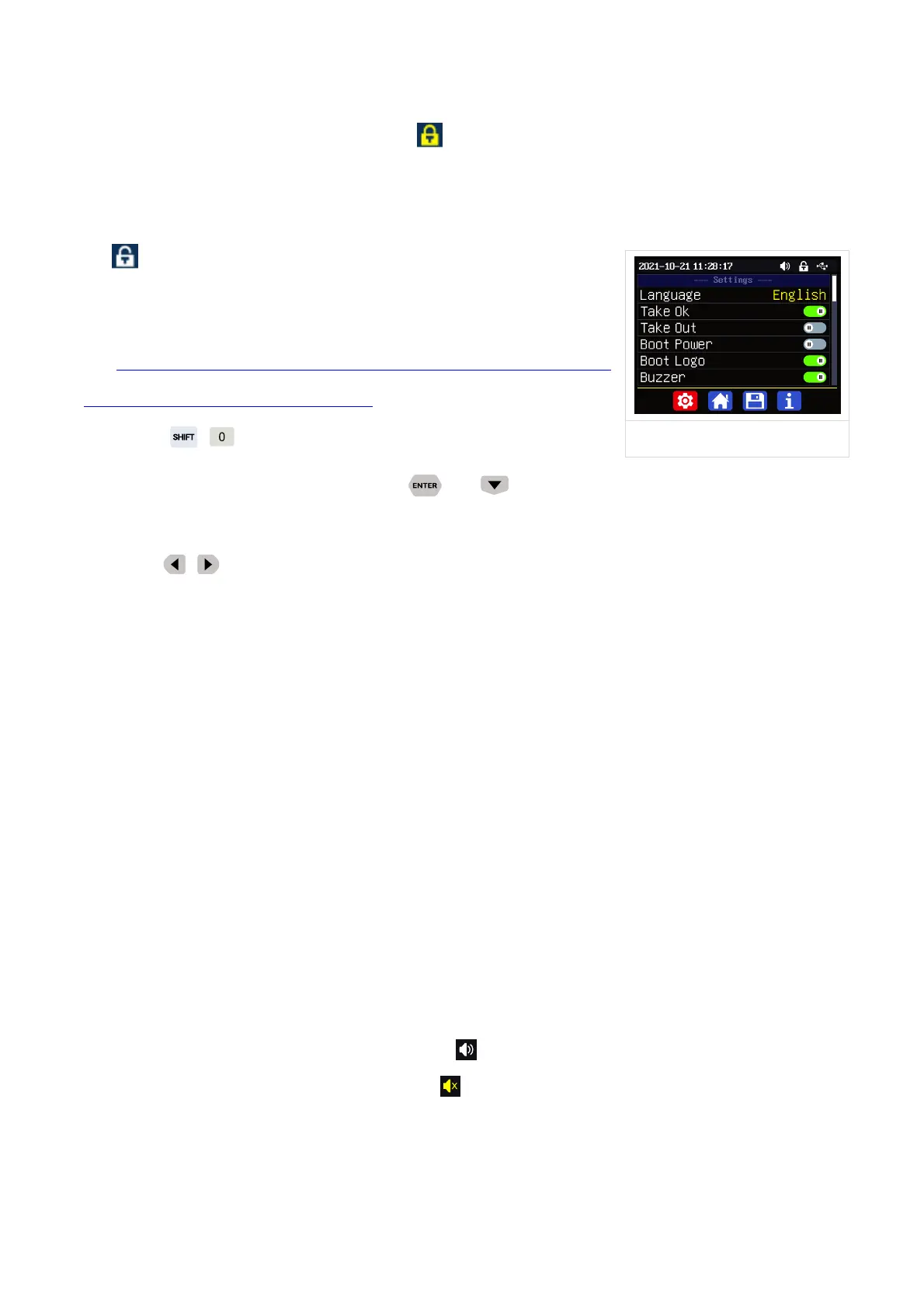
Settings Sub-menu(
Figure 5
):
System language is is set to English by default. You can also set Simplified Chinese, French,
Germany and Russian language.
Take OK is set to ON by default, when you quickly call out a data group, there will be a prompt
to let you confirm, if you set OFF for this option, the settings will be edited directly when call out a
data group.
Take Out is set to OFF by default, when call out a data group, the output is turned off, when set
it ON, it will output directly when call out a data group.
Boot Power is set to OFF by default, when boot the device the output is cut off, when set it on,
it will automatically turn on the output after booting.
Boot Logo is set to ON by default, when boot the device, it will show the boot logo first, then
enter the main interface, when set it OFF, it will enter the main interface directly.
Buzzer is set to ON by default,it will show on the top, and you can hear the beep when
press the button. When set it OFF, it will show , there will not be beep when press the button.
Backlight is set to level 4 by default, it can be set between level 0-5.
Update Rate is set to Low by default, you can set it low/mid/high, it is the fresh rate of the real



 To Next Page