45
1.4.2.7 Storage Data Setting
Data group setting in manual operation video:
https://drive.google.com/drive/folders/13APYtlRAaMcKmStbW
M8toB8oOW5wi4ph?usp=sharing
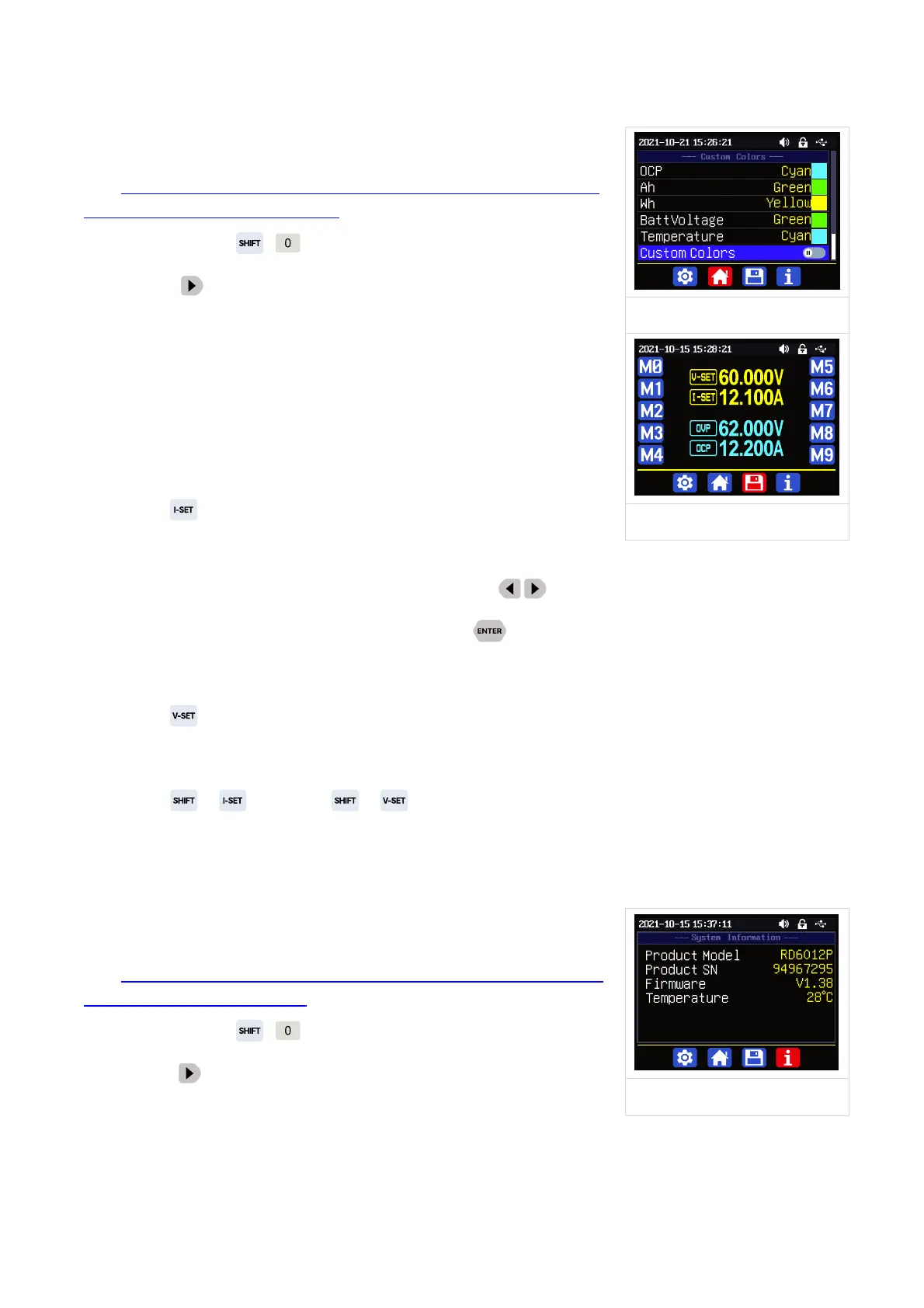
You can press + to enter the system setting menu, and
then press button twice to enter the data storage setting
menu(as shown in Figure 14).
Press the Enter button to enter the sub-menu, press the
direction button to choose the data group, you can rotate the
encoder potentiometer to switch 6A and 12A range(only for RD6012P
user), then set the value.
Press button to set the output current value, you can use
encoder potentiometer to adjust the value directly. And you will not
set the value which exceeds the limit in this way, press button to move the cursor. Of course
you can use keypad to type in the value, and press to confirm. If you set the wrong value, you
can press encoder potentiometer to cancel.
Press button to set the output voltage value, the operation way is similar to output
current setting.
Press + button / + button to set the over current protection/ over voltage
protection value. The operation method is similar to output current setting.
After setting, press the encoder potentiometer to return and save setting.
1.4.2.8 System Information
System information operation video:
https://drive.google.com/drive/folders/1APFNHtOufuh46rc5i2X
TZKrQoTqgHdUr?usp=sharing
You can press + to enter the system setting menu, and
then press button 3 times to enter the system information
menu(as shown in Figure 15).
Product Model is the device name, Product SN is product serial number, Firmware is the
firmware version, Temperature is the System temperature.



 To Next Page