41
status indication, when the actual output current value is higher than the OCP value, the output will
be cut off automatically, and show , when the actual output voltage value is higher than the
OVP value, the output will be cut off automatically, and show , when the system temperature is
higher than 80℃, the output will be cut off automatically, and show .
1.4.2.3
Data Group Quick Storage and Call out
Data group quick store and call out operation video:
https://drive.google.com/drive/folders/139d28IHpZEgpNEC6pfBVruNF3b9FRV
WW?usp=sharing
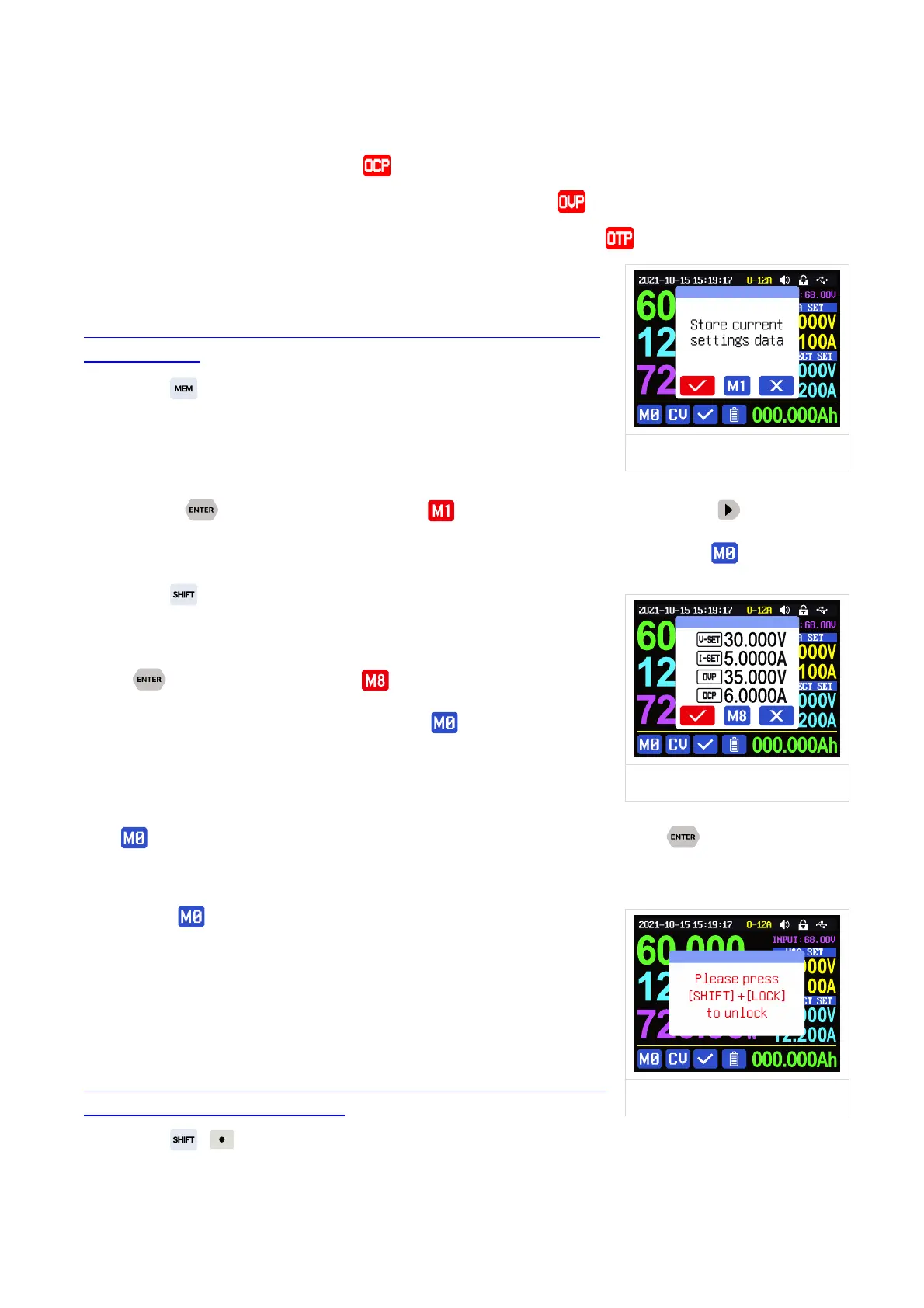
Press + keypad button 1-9, you can store the output voltage
value, OCP value, OVP value, over current protection value into the
corresponding data group(as shown in Figure 2).
then press to confirm, it will show at bottom left, you can press button and
choose “X”, then press ENTER to cancel, after change the setting value it will show .
Press + keypad button 1-9 to quick call out the saved data
(as shown above in Figure 3) from the corresponding data group.
Press to confirm, It will show ,
after change the setting value it will show . When disable the
“Take OK” option, it will be called out directly to change the data
setting value, no prompt.
is the default data group, when you edit the settings and press button or rotate
encoder potentiometer to change the setting and press encoder potentiometer to return, it will be
stored into automatically, or you go to the data group setting
menu, change the setting and press encoder potentiometer to return,
it will save too, and it will not save by other settings.
1.4.2.4
Keypad lock and unlock
Keypad lock operation video:
https://drive.google.com/drive/folders/121yIfNLh3O99AU4t
UkxtC5q34XT3snn1?usp=sharing
Press + to lock or unlock the keypad. And the keypad will be automatically locked



 To Next Page