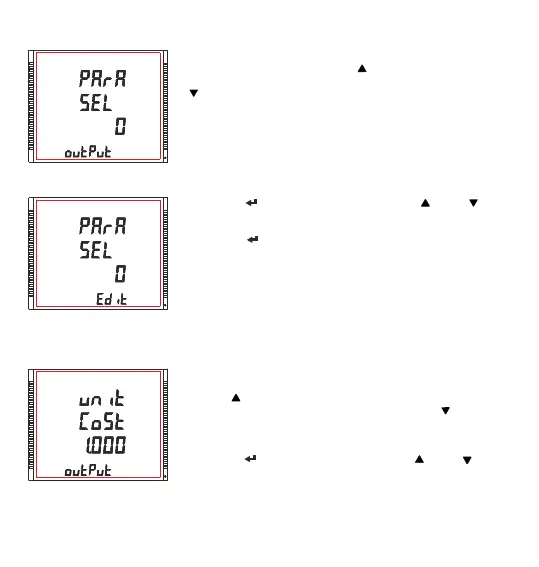
3.2.5.1.1.5.1 Parameter Selection
XXXXXXXX
Pressing the “ ” key advances to edit mode and “ ” and “ ” keys
scrolls through the energy parameters as per TABLE - 2.1
Pressing the “ ” key sets the value & gives the “Parameter Selection”
menu (see section 3.2.5.1.1.5.1).
NOTE: Default configuration is set as ‘0’.
Parameter Selection Edit mode
XXXXXXXX
3.2.5.1.1.5.2 Unit Cost
This screen allows user to assign energy parameters as per TABLE - 2.1
for Pre-Paid Energy output. Pressing “ ” key accepts the present setting
and advance to “Unit Cost ” (see section 3.2.5.1.1.5.2) selection & pressing
“ ” key accepts the present setting and advance to “Pre-Paid Energy
Output” menu (see section 3.2.5.1.1.5).
XXXXXXXX
This screen allows the user to assign unit cost (i.e. cost per kilo) for the
selected energy parameter.
Pressing “ ” key accepts the present setting and advance to “Top up
recharge” (see section 3.2.5.1.1.5.3) screen and pressing “ ” key accepts
the present setting and advance to “Parameter Selection” (see section
3.2.5.1.1.5.1) screen.
Pressing the “ ” key advances to edit mode and “ ” and “ ” scrolls
through the required cost.
60



 To Next Page