XXXXXXXXXXXXXXXX
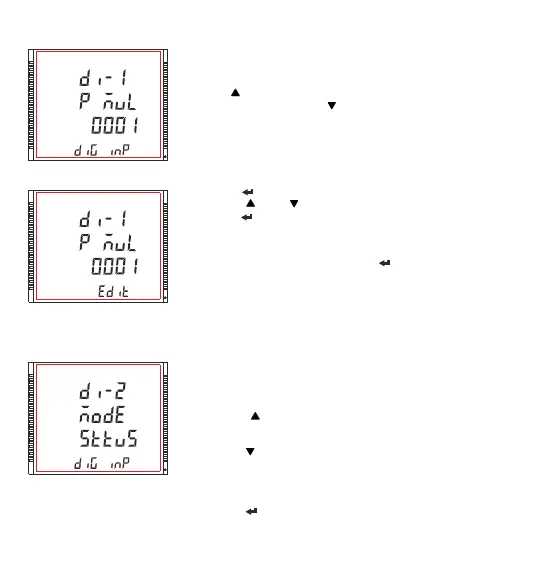
3.2.7.3 Digital Input 1 Pulse Multiplier
Edit mode
XXXXXXXXXXXXXXXX
3.2.7.4 Digital Input 2 Mode Selection
This screen allows the user to set the digital input in one of the two modes.
1) Status
2) Pulse
Pressing the “ ” key advances to “Digital input 2 pulse multiplier”(see
Section 3.2.7.5) when pulse mode is selected and to “Quit Screen” (see
Section 3.2.7.6) when other than pulse mode is selected.
Pressing the “ ” key advances to “Digital Input 1 Pulse Multiplier” Screen
(see Section 3.2.7.3) when pulse mode is selected and to Digital Input 1
Mode Selection Screen (see Section 3.2.7.2) when other than pulse mode
is selected.
Pressing the “ ” key advances to Edit Mode.
The screen allows user to set the values of the Digital Input 1 Pulse
Multiplier.
Pressing “ ” key advances to the “Digital Input 2 Mode Selection” (see
Section 3.2.7.4) and pressing “ ” key advances to the “Digital Input 2
Mode Selection” screen (see Section 3.2.7.2).
Pressing the “ ” key promts for the first digit.
Pressing the “ ” and “ ” keys scroll the values of the first digit.
Pressing the “ ” key advances to the next digit.
Similarly , enter third and fourth digits also.
After the fourth digit is entered, pressing “ ” key sets the value and
advances to “Digital Input 1 Pulse Multiplier” menu screen. (see Section
3.2.7.3)
Note : Default value is set to ‘0001’.
XXXXXXXXXXXXXXXX
69



 To Next Page