11
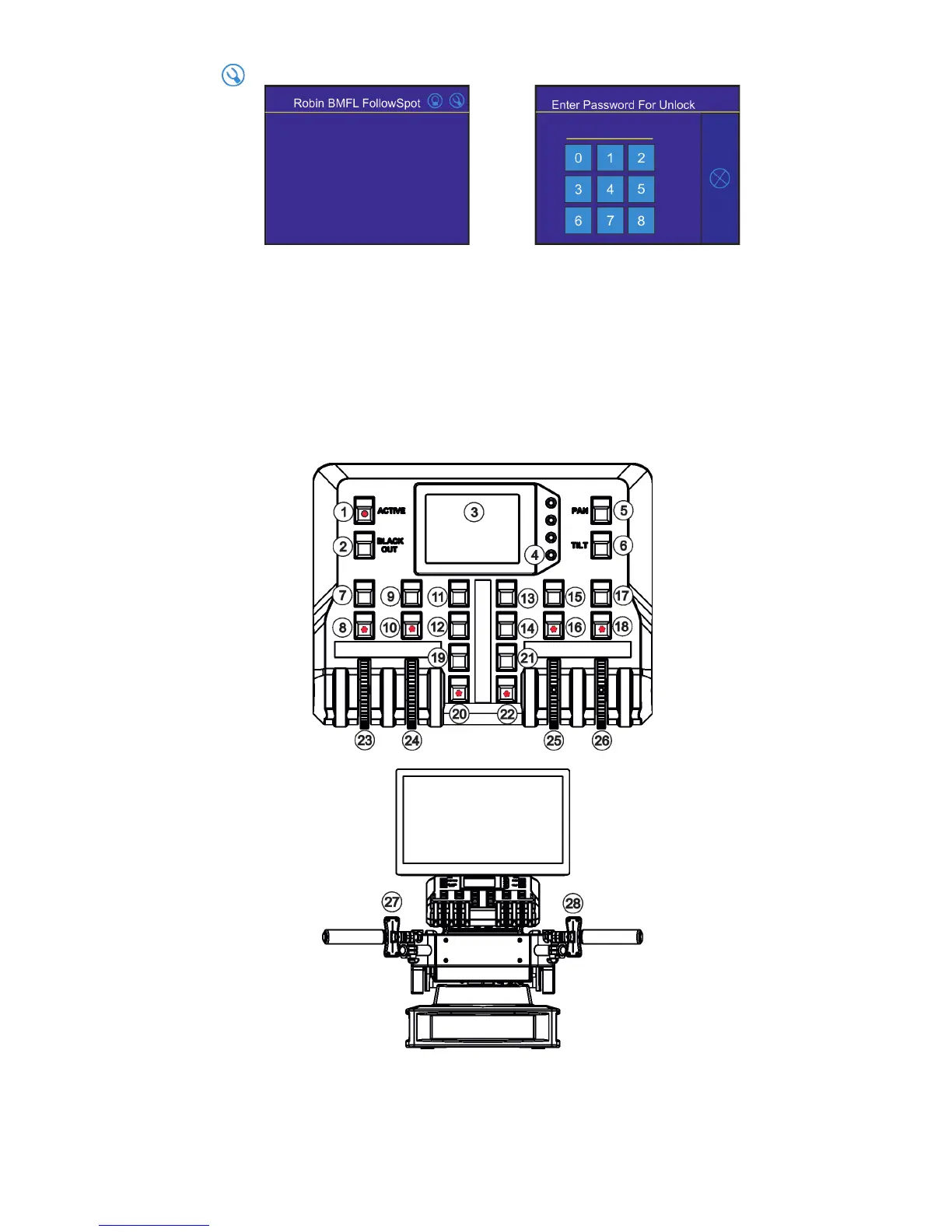
Touch the icon on the FollowSpot Controller to display the password entering screen:
Enter the password (5242) to enter the main menu of the FollowSpot Controller. The password prevents unau-
thorized person from changing setting of the FollowSpot Controller.
Enter the menu "Functions Mapping". The list of available eects will appear:
If the message" Please Activate FollowSpot Controller!" will appear, press the ACTIVE button (1) on the Follow
Spot Controller.
To assign an eect to the jog-wheels and faders
1.Touch desired eect. Buttons (8/10/16/18) which activate Jog-wheels (23/24/25/26) and buttons (20/22), which
matches faders (27/28) will start to ash.
2.Press desired button and selected eect will be assigned to its jog-wheel (fader).
Assigned eect is displayed in a yellow colour, free eects stay in a white colour.
3.Repeat steps 1 and 2 for needed eects.


 To Next Page