22
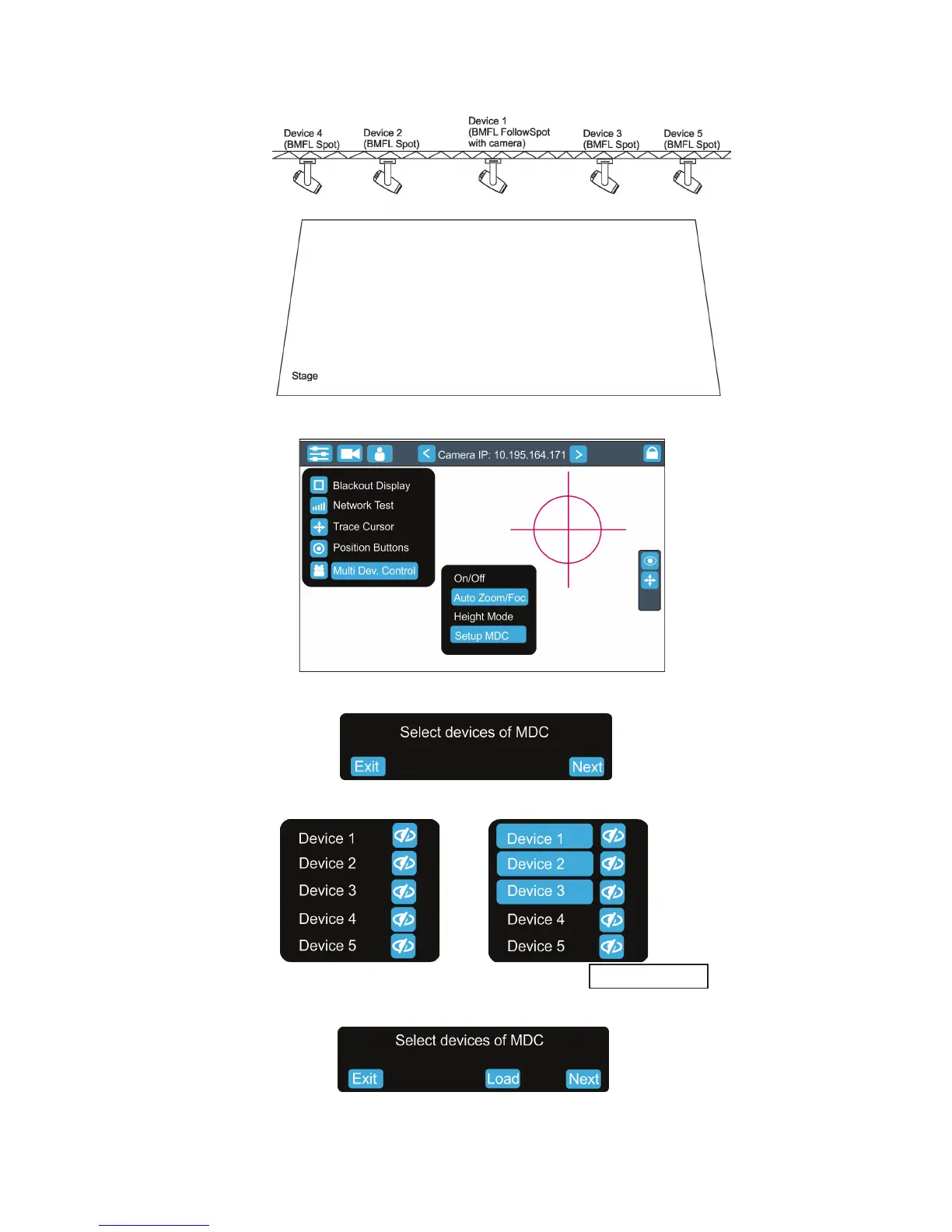
There is an example how to create the follow spot operation for three xtures.
The stage is lighted by the ve devices in a row and three of them will be used for the follow spot operation.
1. Enter the "Multi Dev. Control" menu on the screen and select the option "Setup MDC".
2. Select item " Setup MDC" and the following massage will appear on the screen:
Select xtures which will be used for the follow spot operation (e. g. Device 1, Device 2, Device 3).
Note: In case that setup of DMC has been created, the following message will appear:
Select the option "Load" if you want to load existing setup and modied it.
Touch the Next button.
blackout buttons
Exit -cancels Setup MDC
Next - goes to next step


 To Next Page