25
Disconnecting a Bluetooth device
You can only have one Bluetooth device connected to the sound system
at any one time although it may be paired with several devices.
Once you have a Bluetooth enabled device connected to your sound
system it cannot be interrupted by another Bluetooth device unless you
choose to break the connection.
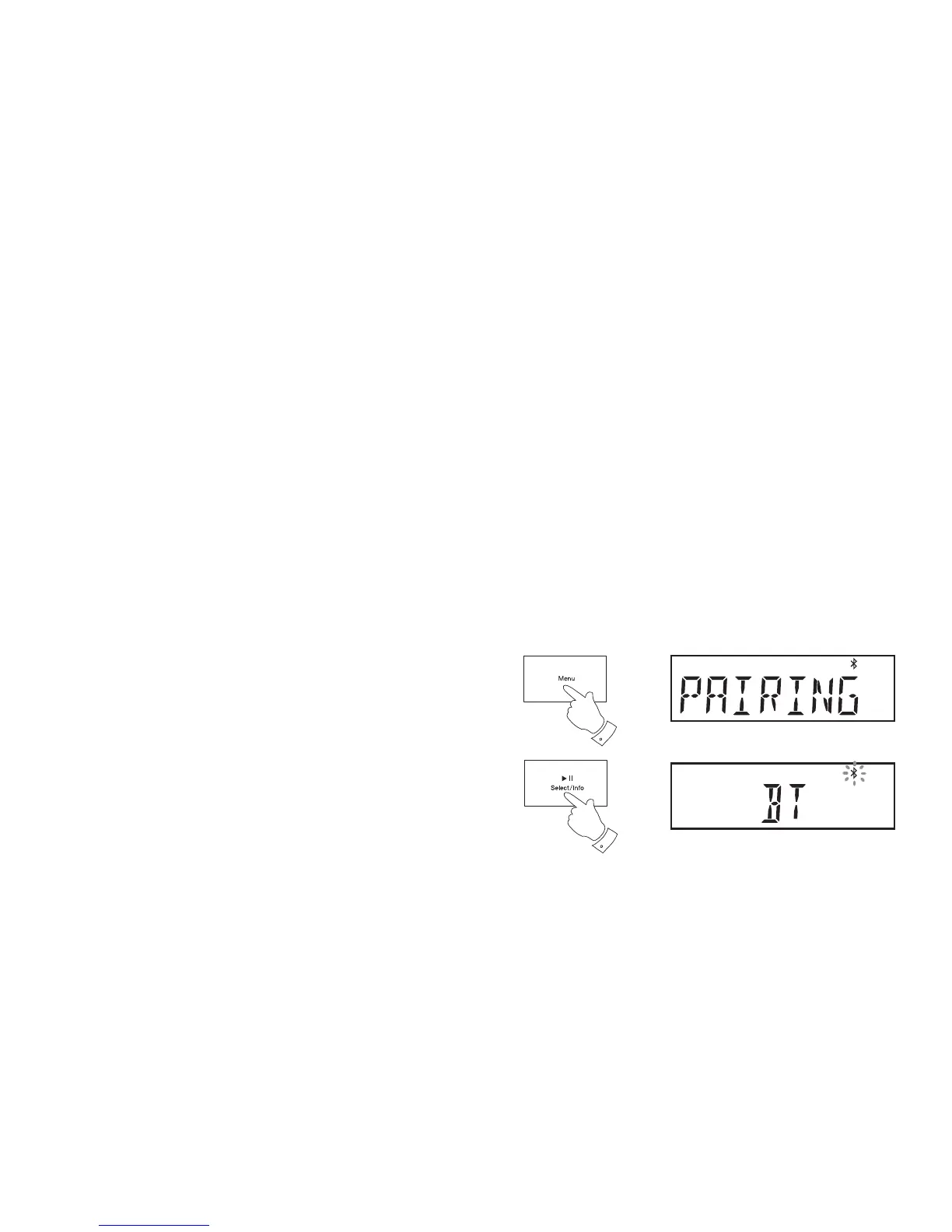
1. To force a disconnection, press and release the Menu button on the
sound system. 'PAIRING' will fl ash on the radio's display
2. Press and release the Select button. The radio will sound a double
beep provided that your radio's volume is set to a suitable listening
level.
3. The radio will disconnect device and then will become 'discoverable'
for a period of approximately 60 seconds. The Bluetooth indicator
will fl ash on the screen. You may then pair your sound system with a
new device. Some Bluetooth devices will automatically connect while
others may need you to confi rm the connection. If no new connection is
made, then the sound system will attempt to reconnect to the previously
connected device.
4. If you no longer want your Bluetooth device to be paired with your
sound system you will need to delete the relevent pairing on the device.
Please refer to the Bluetooth documentation for your phone, tablet,
PC etc. for details of how to cancel current pairings.
1
2


 To Next Page