If you need any further advice, please call our Technical Helpline on :-
020 8758 0338 (Mon-Fri)
34
CD track programming
In addition to playing of complete CDs, selected tracks, or a random
selection, the CD player allows you to program a sequence of up to 20
tracks for audio CDs and 60 for MP3/WMA CDs to be played in what ever
order you choose.
1. With the unit in CD mode and with a CD inserted, make sure that the
CD is in the stop mode.
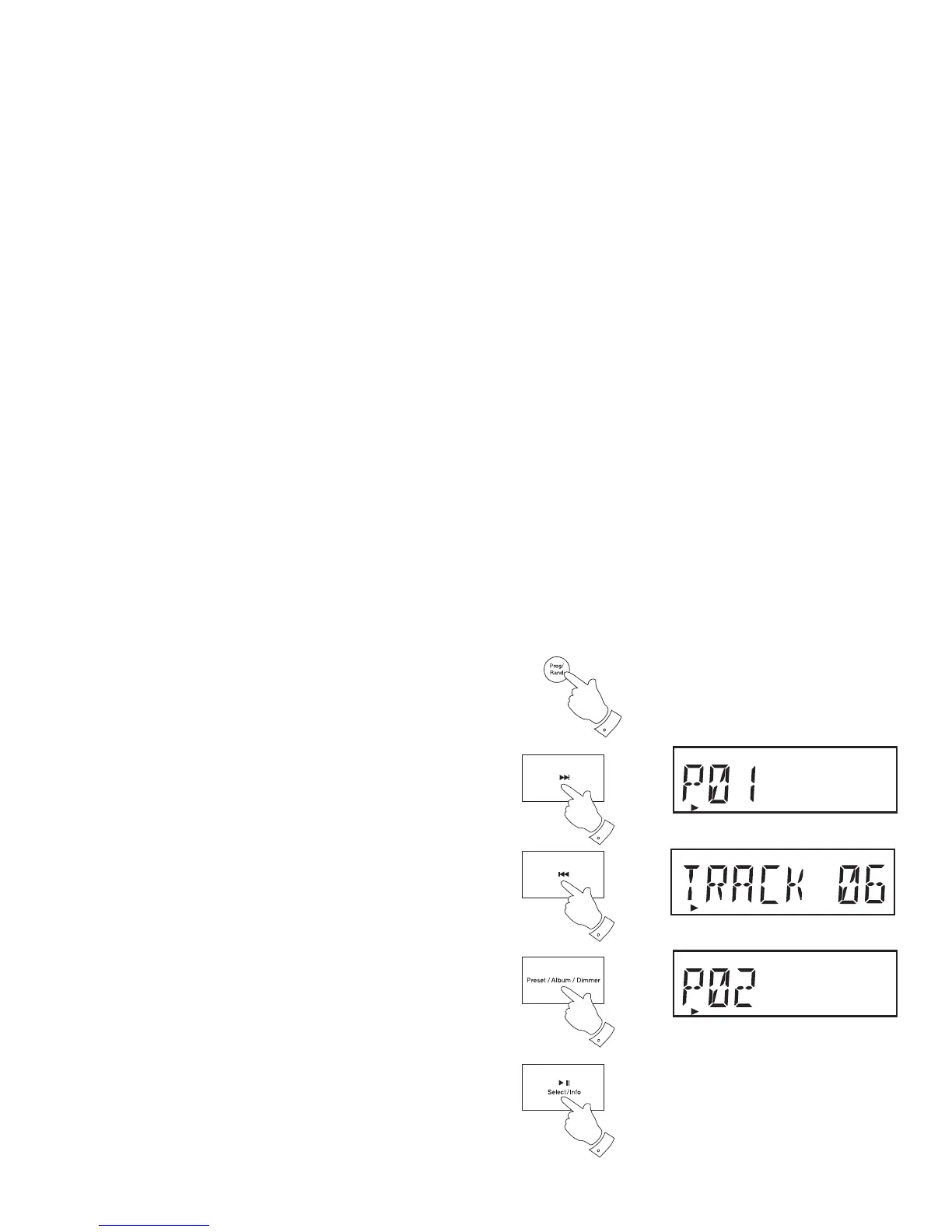
2. To enter the programming mode, press and release the Program
button (on the remote control). 'PROGRAM' and 'P01' will fl ash on
the display.
3. Choose the fi rst track using the Next or Previous buttons.
If you wish to choose a track from a particular album on a MP3 or
WMA CD, press and release the Album button. Then use the Next
or Previous buttons to choose the desired album on the CD. Press
and release the Album button again to allow the track number within
the album to be chosen, again using the Next or Previous buttons.
4. Press and release the Program button to enter the selected track into
the program.
5. Choose another track using the Next or Previous buttons and enter
it into the program using the Program button (track 6 in example
shown).
6. Repeat step 5 to store as many as 20 tracks for audio CDs and 60
tracks for MP3/WMA CDs in the program.
7. When the programme is complete, press and release the Play/Pause
button to start playing. The tracks will then be played in the order that
you have just programmed.
2,4
3,5
3,5


 To Next Page