If you need any further advice, please call our Technical Helpline on :-
020 8758 0338 (Mon-Fri)
46
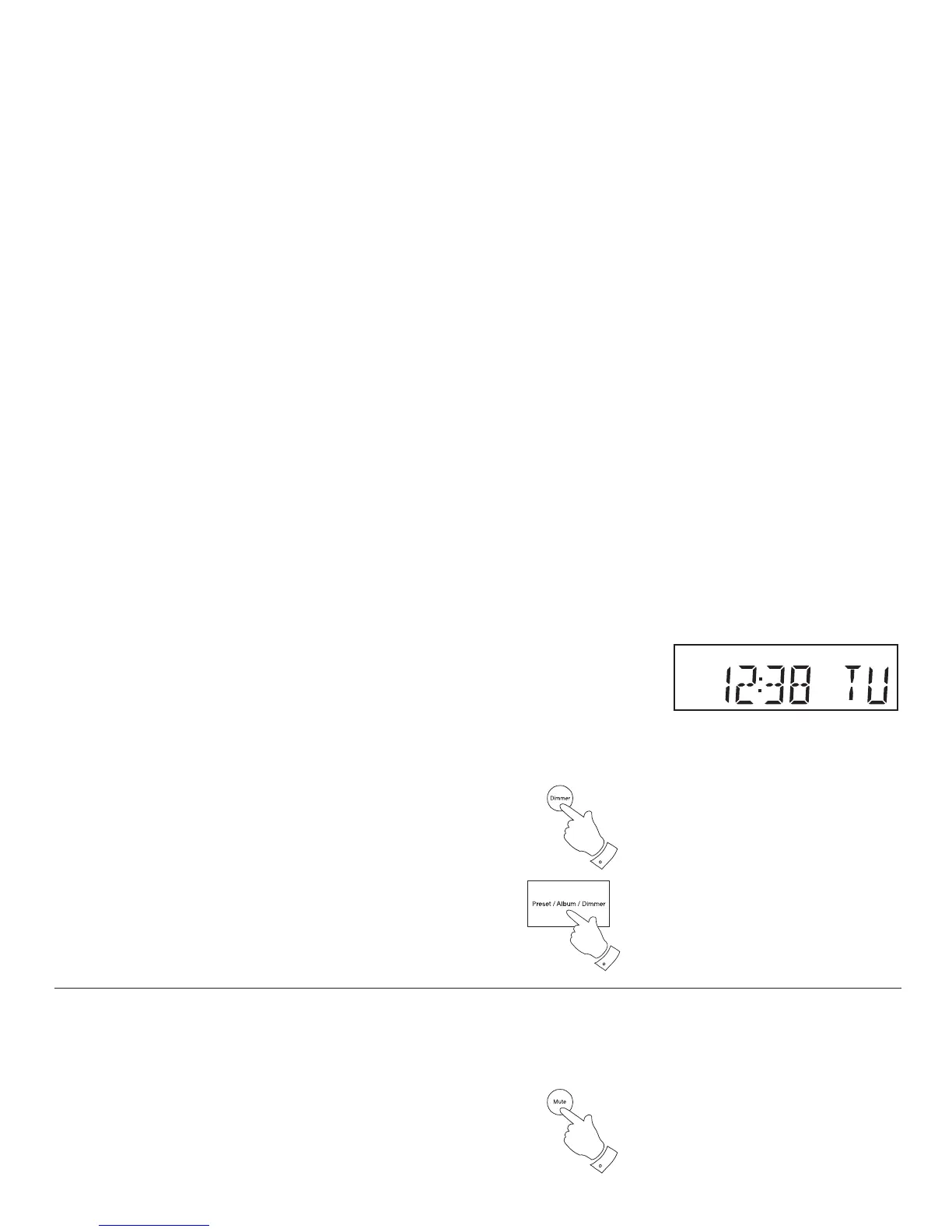
Clock display
1. The clock display on your sound system has a 24 hour clock format.
Display backlight dimmer
When using the remote control the brightness of the display can be adjusted
when the radio is in standby or when the unit is in use.
When using the sound system the dimmer can only be adjusted when
the unit is in standby.
1. In order to adapt the intensity of the display to suit the ambient room
lighting when the unit is in the standby mode or when playing, press
and release the Dimmer button to select the dimmer brightness from
High-Medium-Low and an almost off 'night-time' setting.
• When the radio is in standby mode, pressing a button (other than the
dimmer button) will cause the radio to switch to a higher brightness
level for a few seconds. This is so that if the standby brightness level
is set to the almost off 'night time' setting, it is possible to see the
time.
Mute function
When playing your sound system, the mute button (on the remote control)
will mute the output from the loudspeakers.
1. Press and release the Mute button to mute the sound output.
2. Press and release the Mute button again or one of the volume buttons
to un-mute the sound output.
1
1
1


 To Next Page