33
4
2
1,3
CD
CD Bookmark
The CD Bookmark feature allows you to stop the playback of a CD and then
to continue playback from the same point at a later time. Even if you put the
sound system into standby mode or change the mode, the next CD play
operation will start from the point where playback was previously stopped.
Note: If the mains power is removed and restored the Bookmark setting
may be cancelled and the CD will then play from the beginning.
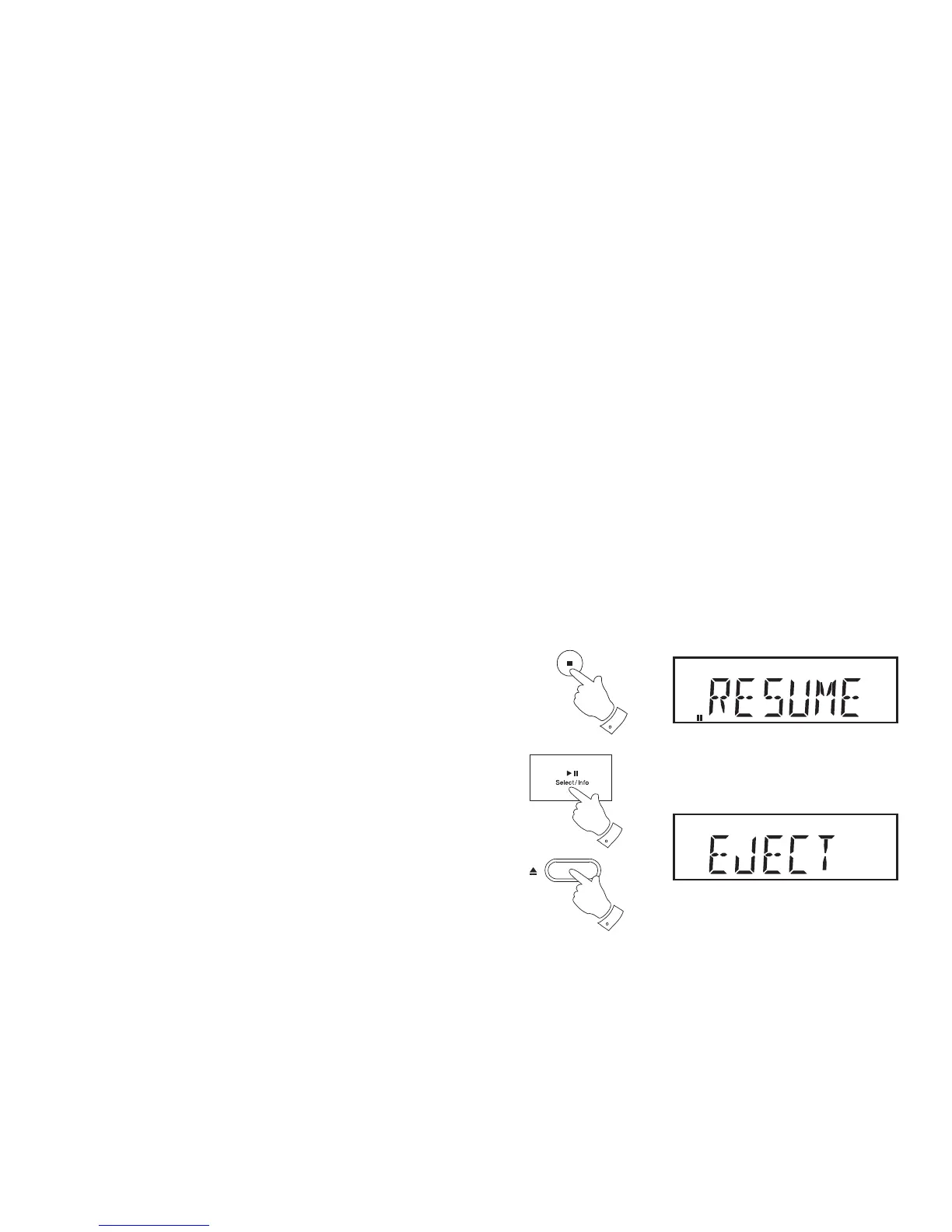
1. When the CD is playing, press the Stop button (on the remote) once.
The display will then show 'RESUME'. You can then put the radio into
standby or select an alternative mode.
2. To resume playback, return to the CD mode and press the Play/Pause
button.
3. If you wish to cancel the Bookmark function, either press the Stop
button a second time or simply take out the CD.
4. To take out the CD, press the CD Eject button. The display will show
'EJECT'. In order to protect the disc if it is not removed, the unit will
reload the CD after 10 seconds.
Note: The Stop button must be pressed a second time to clear the
bookmark function.


 To Next Page