43
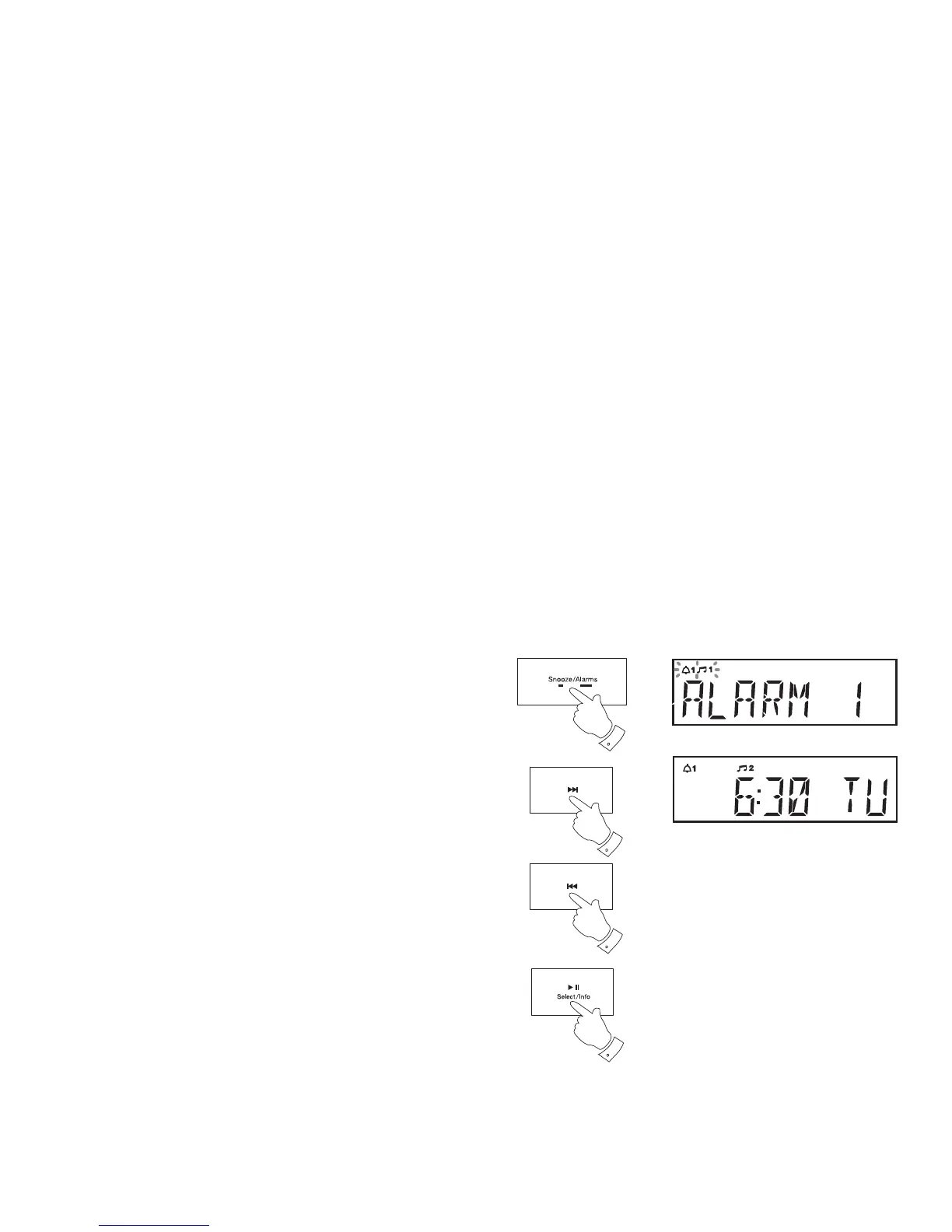
To view the alarm settings
1. Press and hold the Alarm button. 'Alarm 1' will be displayed.
2. Press and release the Tuning Up or Down buttons to choose either
alarm 1 or alarm 2.
3. Repeatedly, press and release the Select buton to cycle through each
of the settings for the chosen alarm.
You may use the Tuning Up or Down buttons to modify any particular
setting if desired, using the Select button to enter the modifi cation.
3
1
2
2


 To Next Page