31
Search function
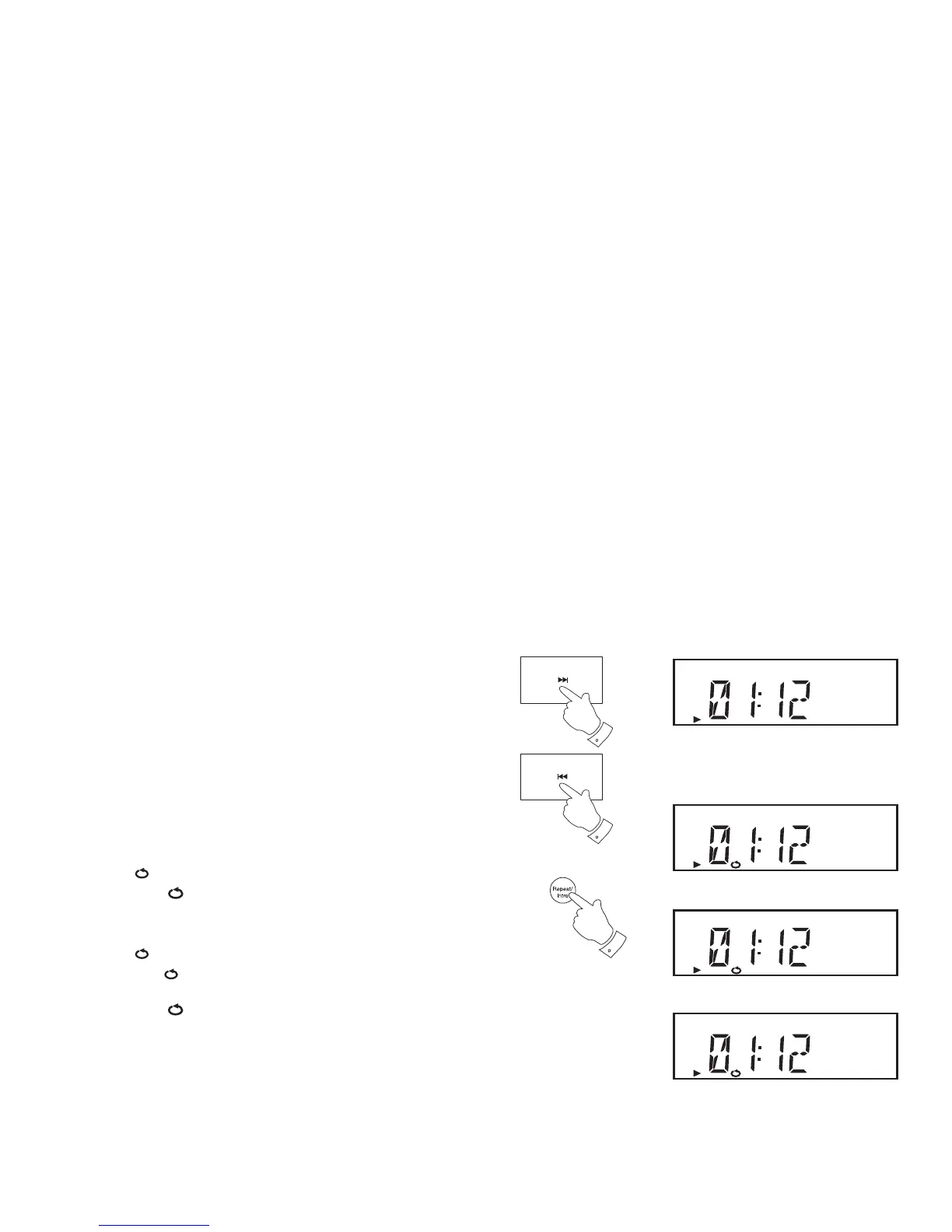
1. While the CD is playing, press and hold the Next or Previous buttons.
Release the button when the desired part of the track is reached.
CD
1
1
Repeat tracks
1. Whilst the CD is playing, press and release the Repeat button (on the
remote control) until the desired repeat option shows on the display.
Audio CD:
Repeat 1
1
- The current track (a single track) will be repeated.
Repeat ALL
All
- All tracks on the CD will be played repeatedly
MP3 / WMA CD:
Repeat 1
1
- The current track (a single track) will be repeated.
Repeat Album
ALBUM
- All tracks in the current album will be
played repeatedly.
Repeat ALL
All
- All tracks on the CD will be played repeatedly.
2. To exit the repeat options press and release the Repeat button until
the repeat indicators are no longer shown on the display.
Selecting a repeat option will cancel the shuffl e setting if previously
applied.
CD
1
CD
ALL
CD
ALBUM
1,2


 To Next Page