If you need any further advice, please call our Technical Helpline on :-
020 8758 0338 (Mon-Fri)
30
2-4
2-4
Selecting a track cont.
MP3/WMA CD:
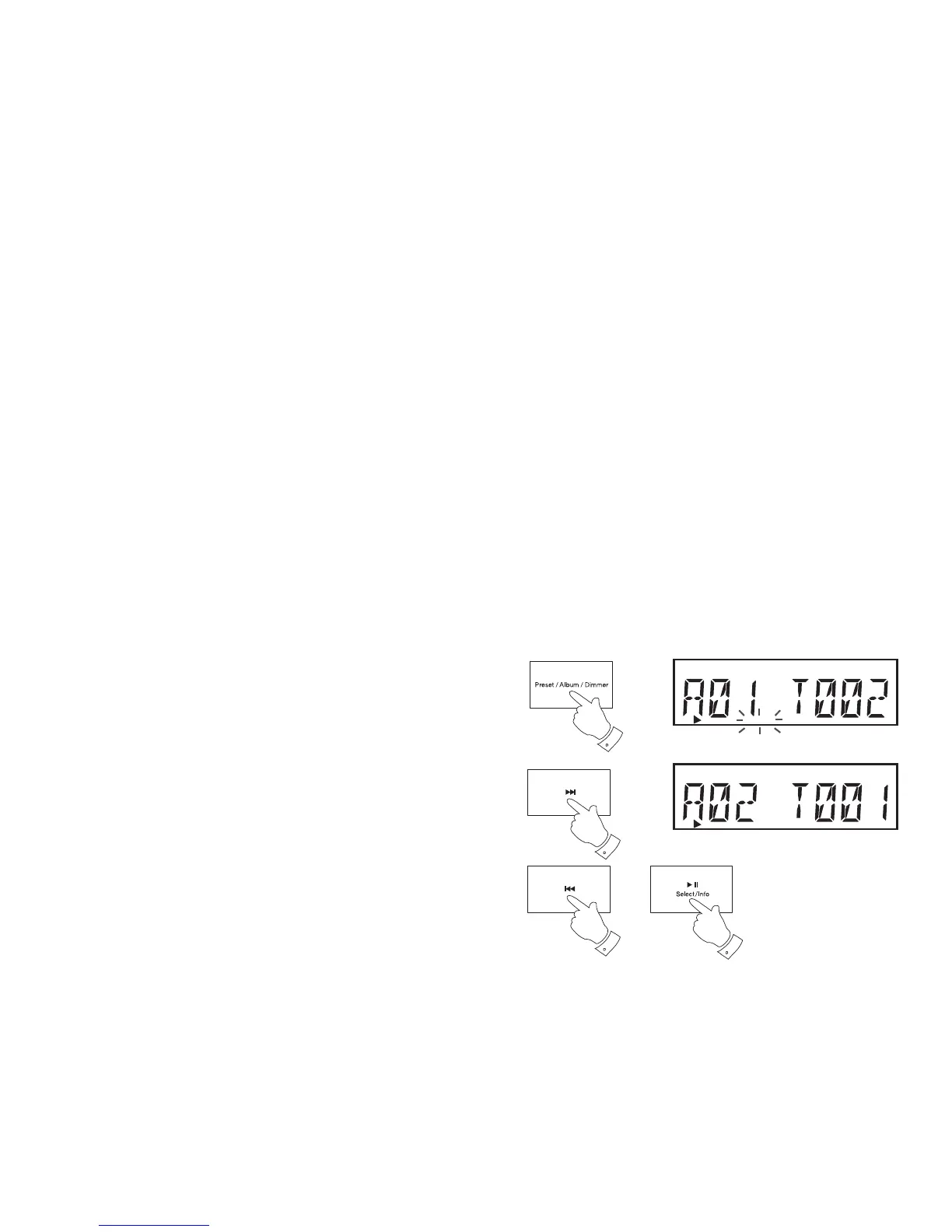
1. While the CD is playing, paused or stopped, press and release the
Album button. 'ALBUM' will fl ash on the display. The Album indicator
will fl ash for approximately 5 seconds.
2. Whilst 'ALBUM' is fl ashing on the display, press and release either the
Next or Previous buttons to choose the desired album. Whenever a
new album is selected, the track number is set to 1.
3. If you wish to play from a selected track other than the fi rst in the newly
selected album, then press the Album button once more. The Album
indicator will be cancelled. Then press either the Next or Previous
buttons to change to the desired track. The updated track number is
shown on the display.
4. You can also skip albums or tracks when the player is paused or
stopped.
5. Press and release the Play/Pause to start playing from the selected
album or track.
Note: Album selections cannot be made if the player is paused during
playback of a previously entered program (see page 34).
5
1,3
CD
ALBUM
CD


 To Next Page
 Loading...