35
Playing back the programmed tracks
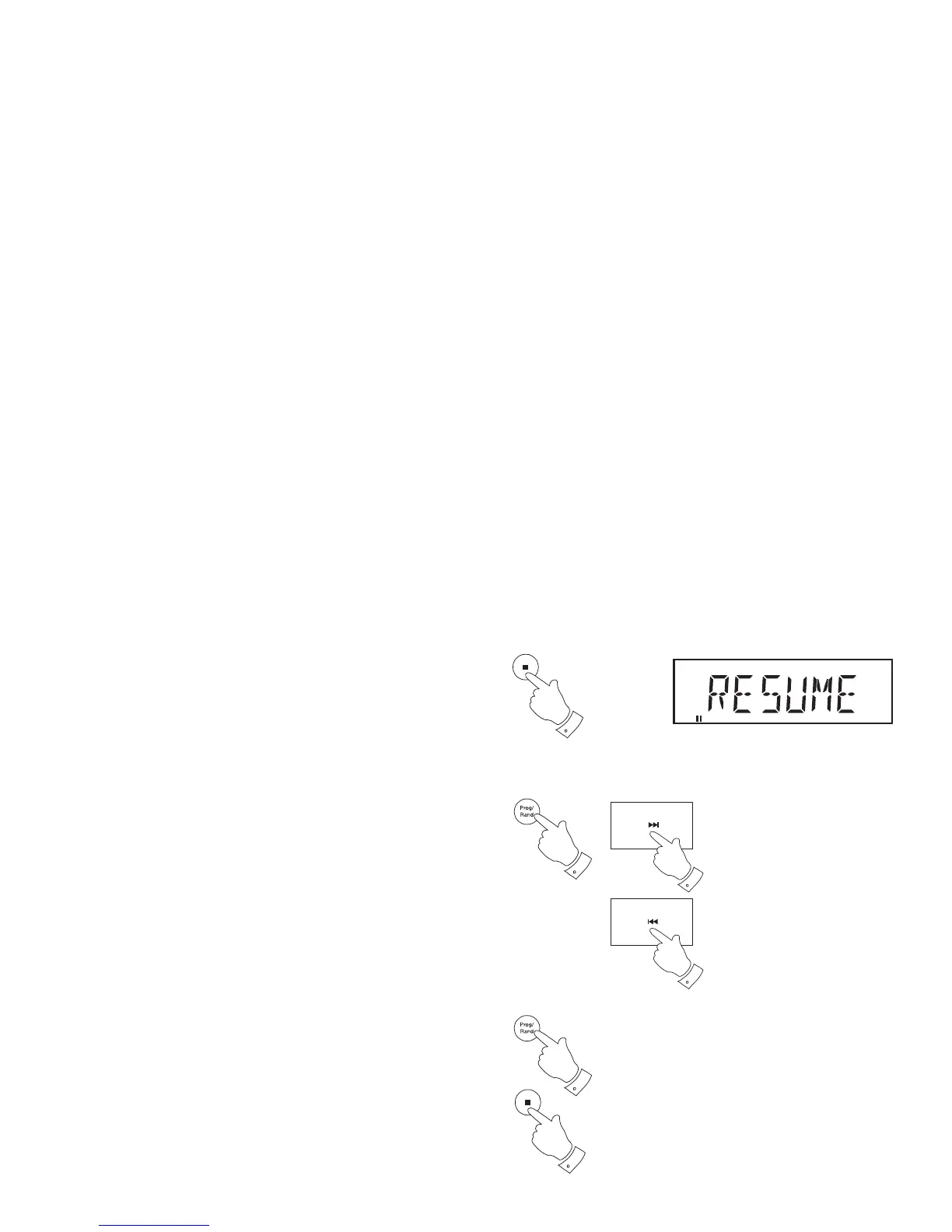
1. If the Stop button on the remote control is pressed while playing back
the program then the CD will stop. The display will show 'RESUME'.
2. Press and release the Play/Pause button to resume playback of the
program.
Editing the program
1. While playback is stopped you may press the Program button (on the
remote control) to step through the currently entered program.
2. You may change the number of a previously entered track by using
the Next or Previous buttons followed by the Program button to store
the new entry in the program.
As with program entry, the Album button may be used to allow the
album number to be selected (see the proceding page).
3. If you press the Stop button before pressing the Play/Pause button
then the previously entered program will be erased.
Erasing the entered program
1. With the CD in the stop mode, press and release the Program button
followed by the Stop button (on the remote control). Any program
stored will be erased.
PROGRAM
CD
1
1,2
2
2
1
1


 To Next Page