Robustel GoRugged R3000 Quad User Guide
RT_UG_R3000 Quad_v.1.2.0 02.07.2015 99 / 136
Confidential
3.2 Configuration -> Event
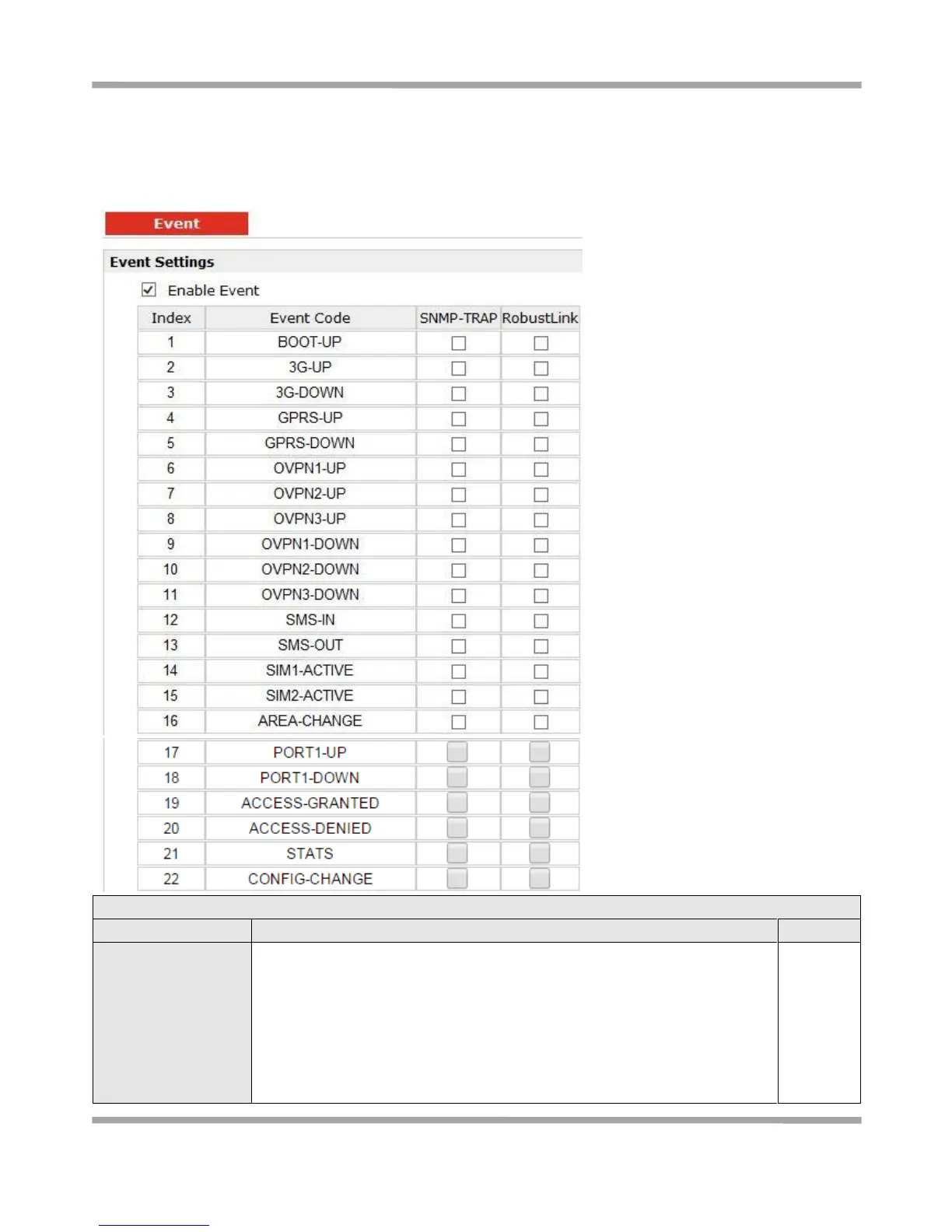
This section allows users to set the Event parameters.
Click to enable Event feature.
This feature is used to report R3000’s main running event to SNMP-TRAP or
RobustLink. There are numbers of Event code you can select, such as
“BOOT-UP”, “3G-UP”, “3G-DOWN”, etc. For example if you click “3G-UP” and
select “RobustLink” as the server, when R3000 dial up to connect to 3G
network, it will send event code “3G-UP” as well as relevant information to
RobustLink.










 To Next Page