Robustel GoRugged R3000 Quad User Guide
RT_UG_R3000 Quad_v.1.2.0 02.07.2015 80 / 136
Confidential
Click “Browse” to select the correct TA file from your PC, and then click
“Import” to import it to the router.
Click “Export” you can export the TA file from router to your PC.
Click “Browse” to select the correct CRL file from your PC, and then click
“Import” to import it to the router.
Click “Export” you can export the CRL file from router to your PC.
Click “Browse” to select the correct Pre-Share Static Key file from your PC, and
then click “Import” to import it to the router.
Click “Export” you can export the Pre-Share Static Key file from router to your
PC.
3.24 Configuration -> GRE
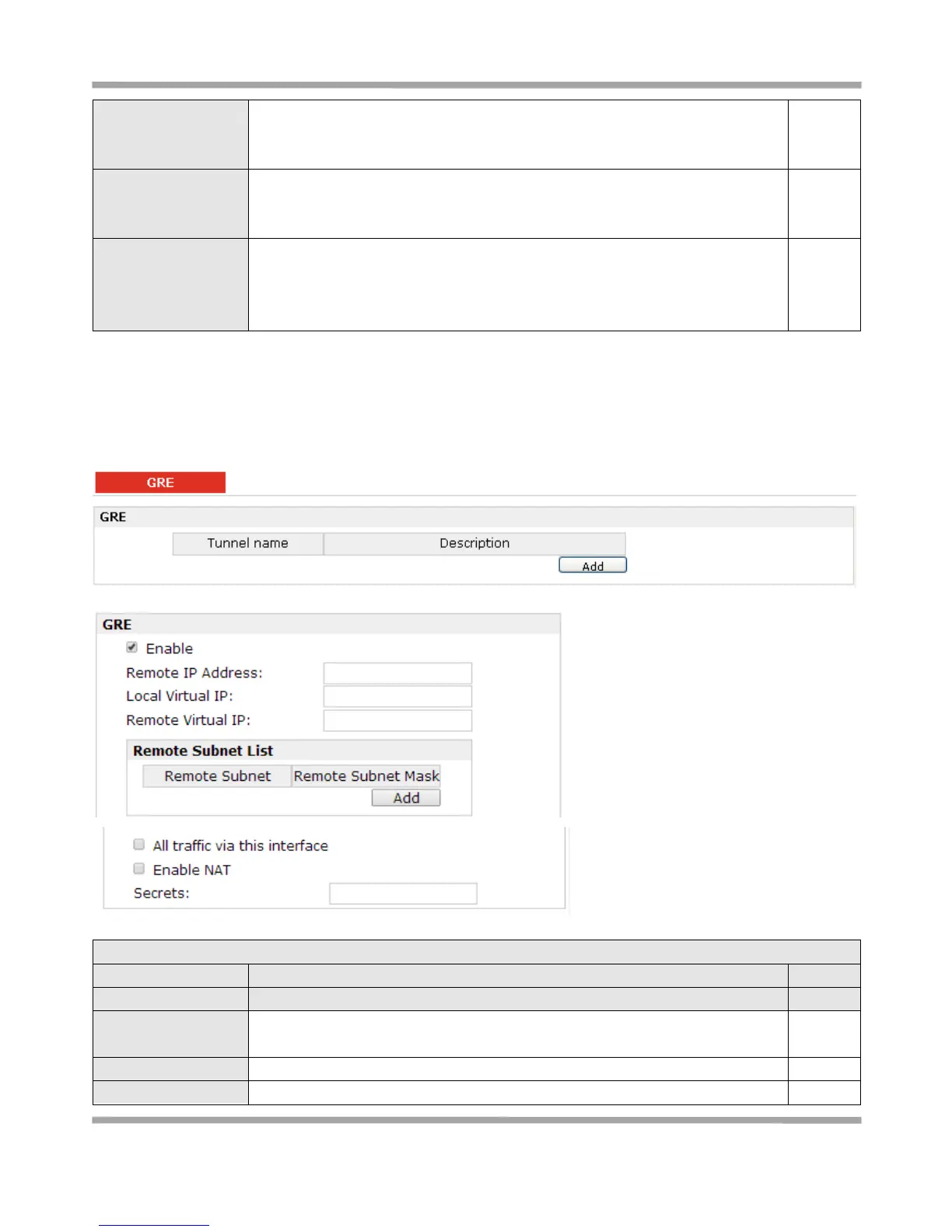
This section allows users to set the GRE parameters.
Click “Add” to add a GRE tunnel.
Click to enable GRE (Generic Routing Encapsulation). GRE is a protocol that
encapsulates packets in order to route other protocols over IP networks.
Set remote IP Address of the virtual GRE tunnel.
Set local IP Address of the virtual GRE tunnel.










 To Next Page