Robustel GoRugged R3000 Quad User Guide
RT_UG_R3000 Quad_v.1.2.0 02.07.2015 19 / 136
Confidential
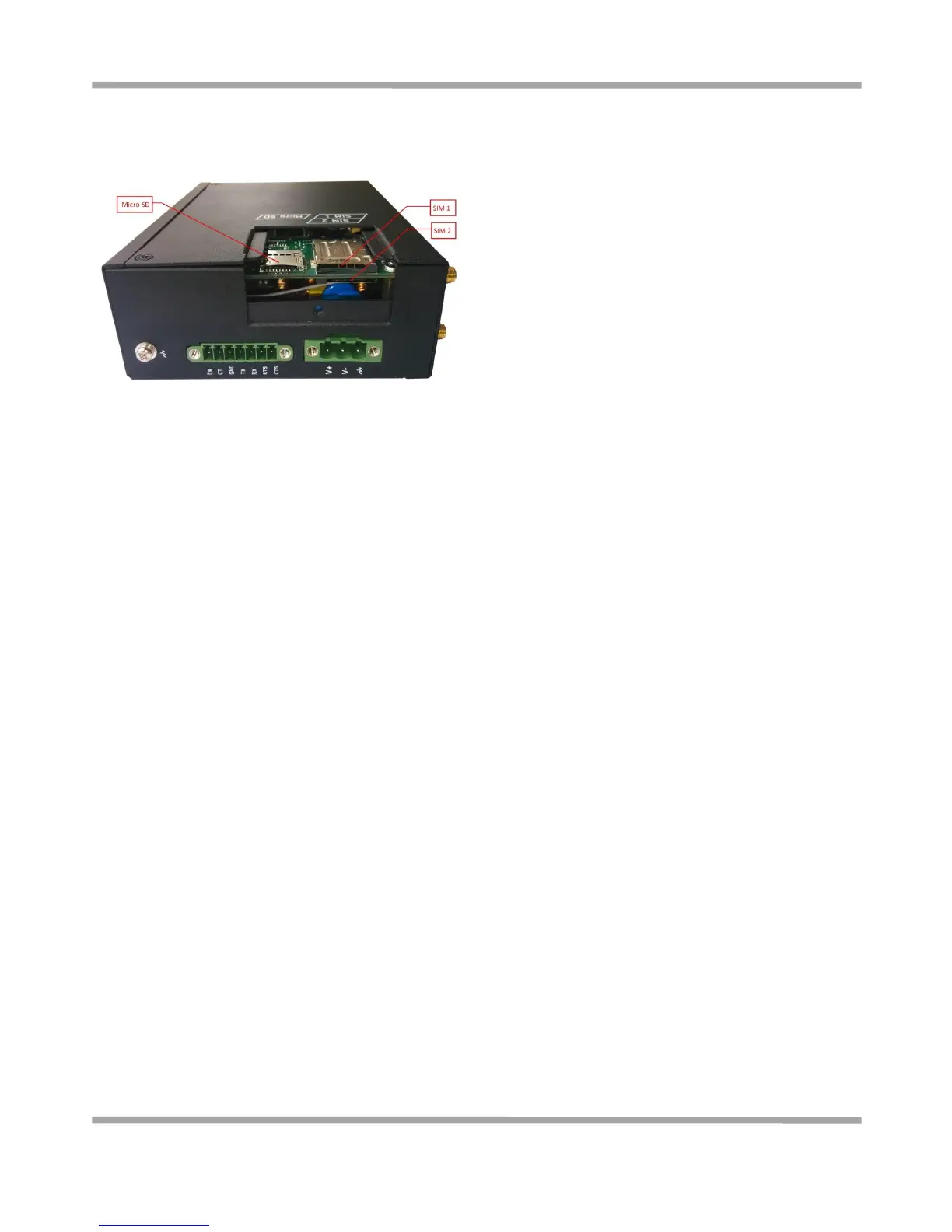
2.7 Install SIM Card and Micro SD Card
Inserting SIM Card or Micro SD Card
1. Make sure power supply is disconnected.
2. Use a screwdriver to unscrew the screw on the cover, and then remove the cover, you could find the SIM Card
slots and the Micro SD slot.
3. Insert the SIM card or Micro SD card, and you need press the card with your fingers until you hear “a cracking
sound”. Then use a screwdriver to screw the cover.
Removing SIM Card or Micro SD Card
1. Make sure router is power off.
2. Press the card until you hear “a cracking sound”, when the card will pop up to be pulled out.
Note:
1. Please use the specific M2M SIM card when the device works in extreme temperature (temperature exceeding
0-40
℃
), because the long-time working of regular SIM card in harsh environment(temperature exceeding
0-40
℃
)may increase the possibility of SIM card failure.
2. Don’t forget screw the cover for again-theft.
3. Don’t touch the metal surface of the SIM card in case information in the card is lost or destroyed.
4. Don’t bend or scratch your SIM card. Keep the card away from electricity and magnetism.
5. Make sure router is power off before inserting or removing your SIM card or Micro SD card.










 To Next Page