Robustel GoRugged R3000 Quad User Guide
RT_UG_R3000 Quad_v.1.2.0 02.07.2015 90 / 136
Confidential
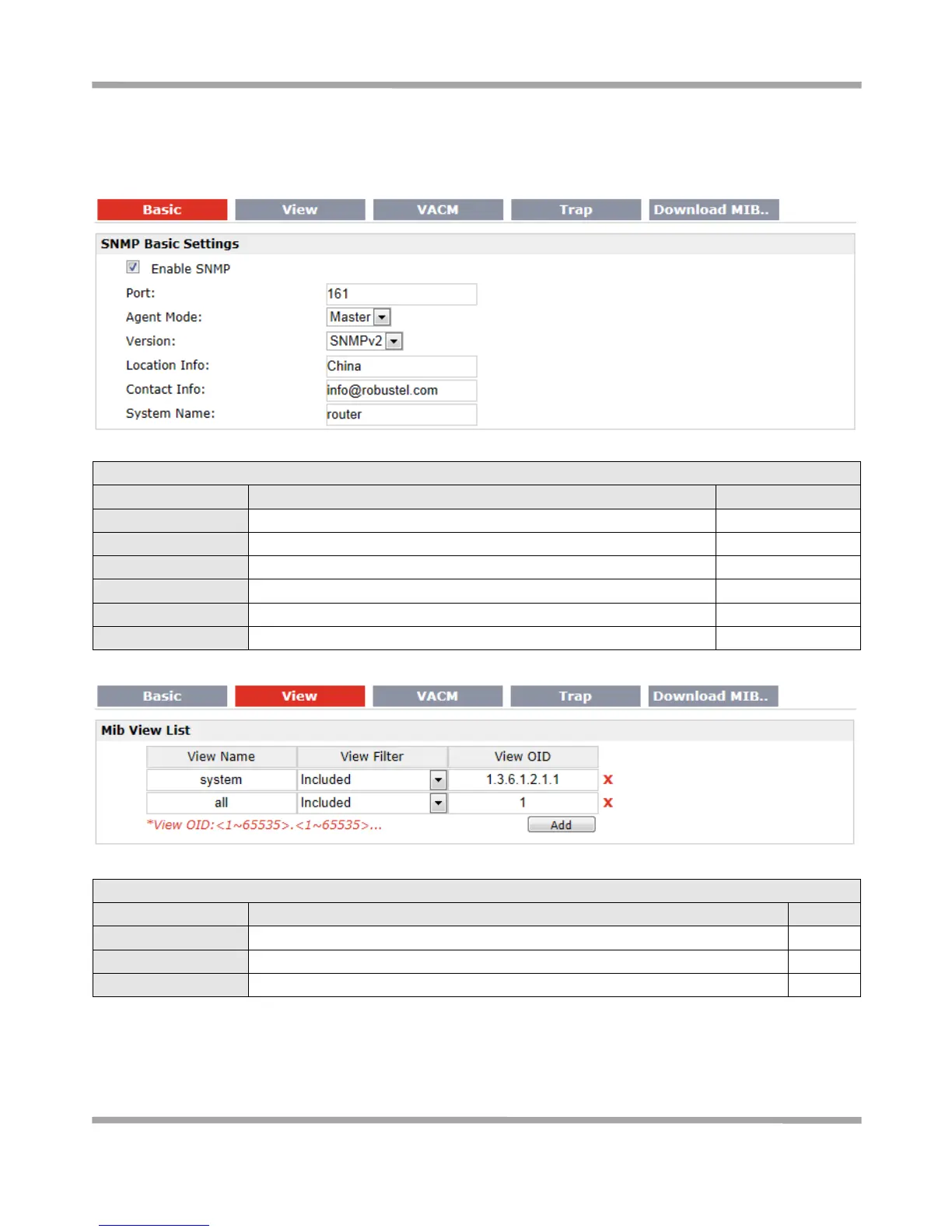
3.27 Configuration -> SNMP
This section allows users to set the SNMP parameters.
UDP port for sending and receiving SNMP requests.
Select the correct agent mode.
Select from “SNMPv1”, “SNMPv2” and “SNMPv3”.
Enter the router’s location info which will send to SNMP client.
Enter the router’s contact info which will send to SNMP client.
Enter the router’s system name which will send to SNMP client.
Select from “Include” and “Exclude”.
Enter the Object Identifiers (OID)










 To Next Page