Robustel GoRugged R3000 Quad User Guide
RT_UG_R3000 Quad_v.1.2.0 02.07.2015 33 / 136
Confidential
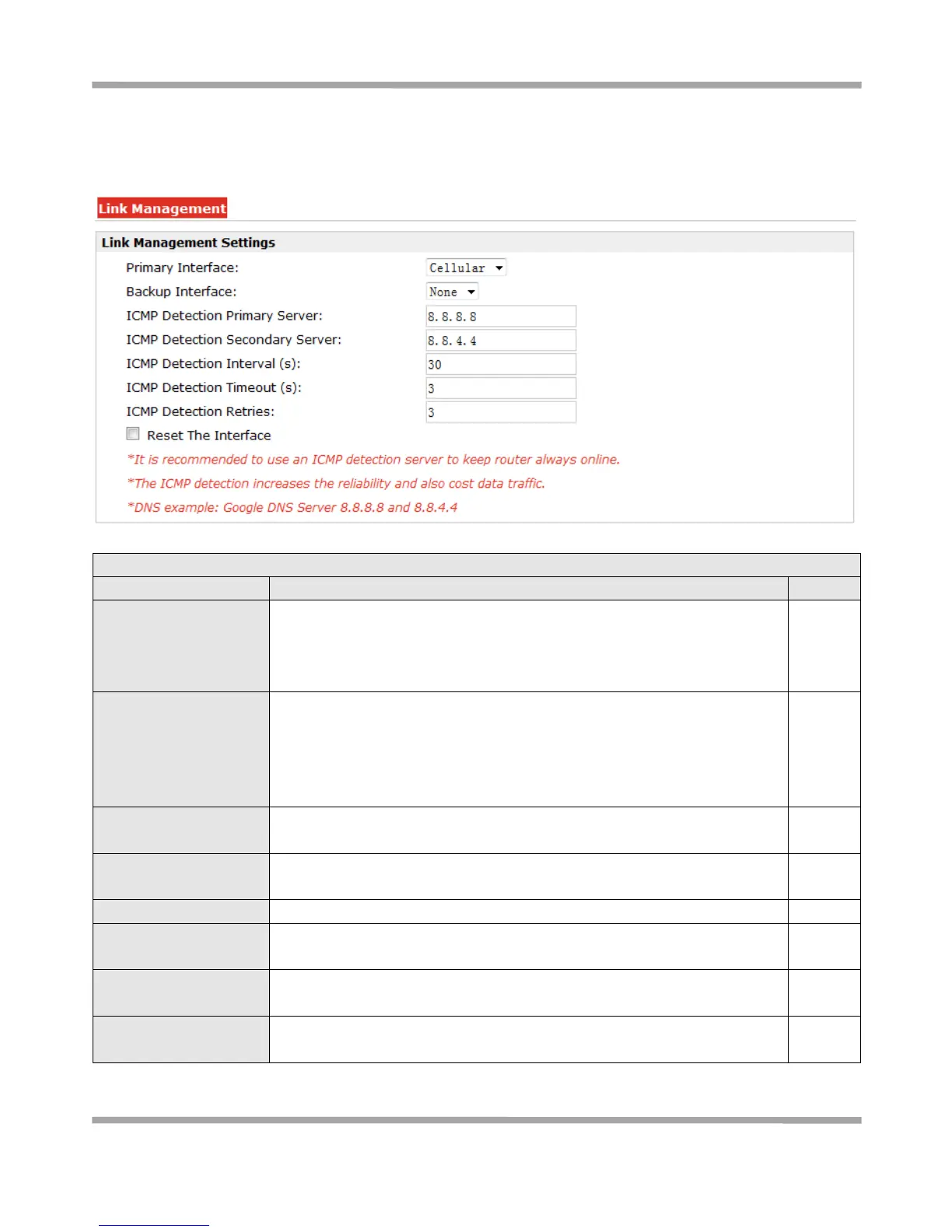
3.10 Configuration -> Link Management
This section allows users to set the WAN link and the related parameters.
Selected from “Cellular”, “Eth0”, “WiFi”.
1. Cellular: Select to make cellular as the primary WAN link.
2. Eth0: Select to make Eth0 as the primary WAN link.
3. WiFi: Select to make WiFi as the primary WAN link.
Selected from “None”, “Eth0”, “WiFi”.
1. None: Do not select backup interface.
2. Cellular: Select Cellular as the backup WAN link.
3. Eth0: Select Eth0 as the backup WAN link.
4. WiFi: Select WiFi as the backup WAN link.
ICMP Detection Primary
Server
Router will ping this primary address/domain name to check that if the
current connectivity is active.
ICMP Detection
Secondary Server
Router will ping this secondary address/domain name to check that if the
current connectivity is active.
If Router ping the preset address/domain name time out continuously for
Max Retries time, it will consider that the connection has been lost.
Enable to reset the cellular/ETH0 interface after the max ICMP detection
retries.










 To Next Page