Robustel GoRugged R3000 Quad User Guide
RT_UG_R3000 Quad_v.1.2.0 02.07.2015 55 / 136
Confidential
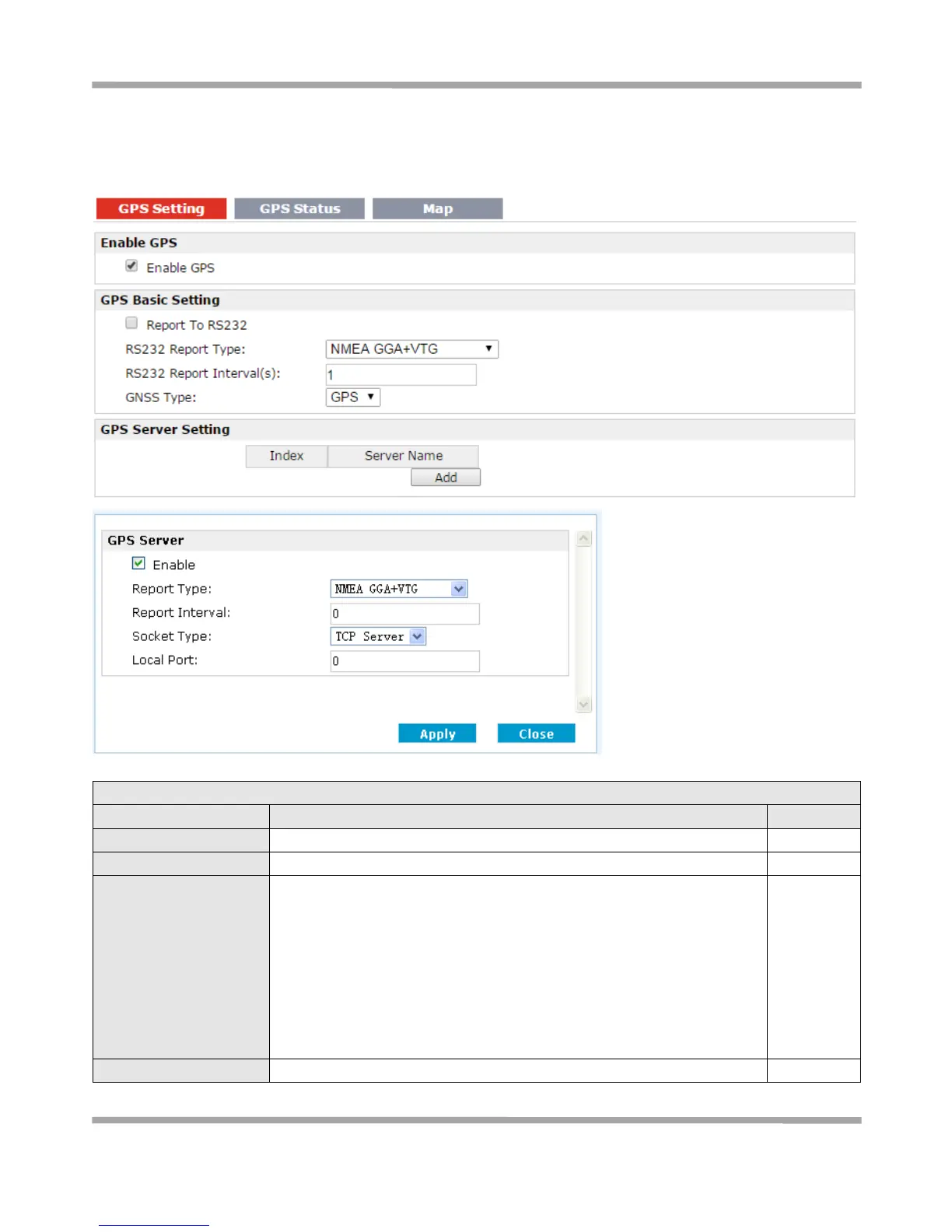
3.16 Configuration -> GPS
This section allows users to set the GPS setting parameters.
Click to enable GPS function.
Click to enable GPS report to RS232 serial port of router.
Select from “NMEA GGA+VTG”, “NMEA GGA+VTG+RMC” and “NMEA
RMC”.
NMEA GGA+VTG: Global Positioning System Fix Data(GGA)+ Track Made
Good and Ground Speed(VTG).
NMEA GGA+VTG+RMC: Global Positioning System Fix Data(GGA)+ Track
Made Good and Ground Speed(VTG)+ Recommended Minimum Specific
GPS/TRANSIT Data(RMC).
NMEA RMC: Recommended Minimum Specific GPS/TRANSIT Data(RMC).
Set the interval to report GPS status to RS232 serial port of router.










 To Next Page