Robustel GoRugged R3000 Quad User Guide
RT_UG_R3000 Quad_v.1.2.0 02.07.2015 109 / 136
Confidential
3.10 Administration -> SDK Management
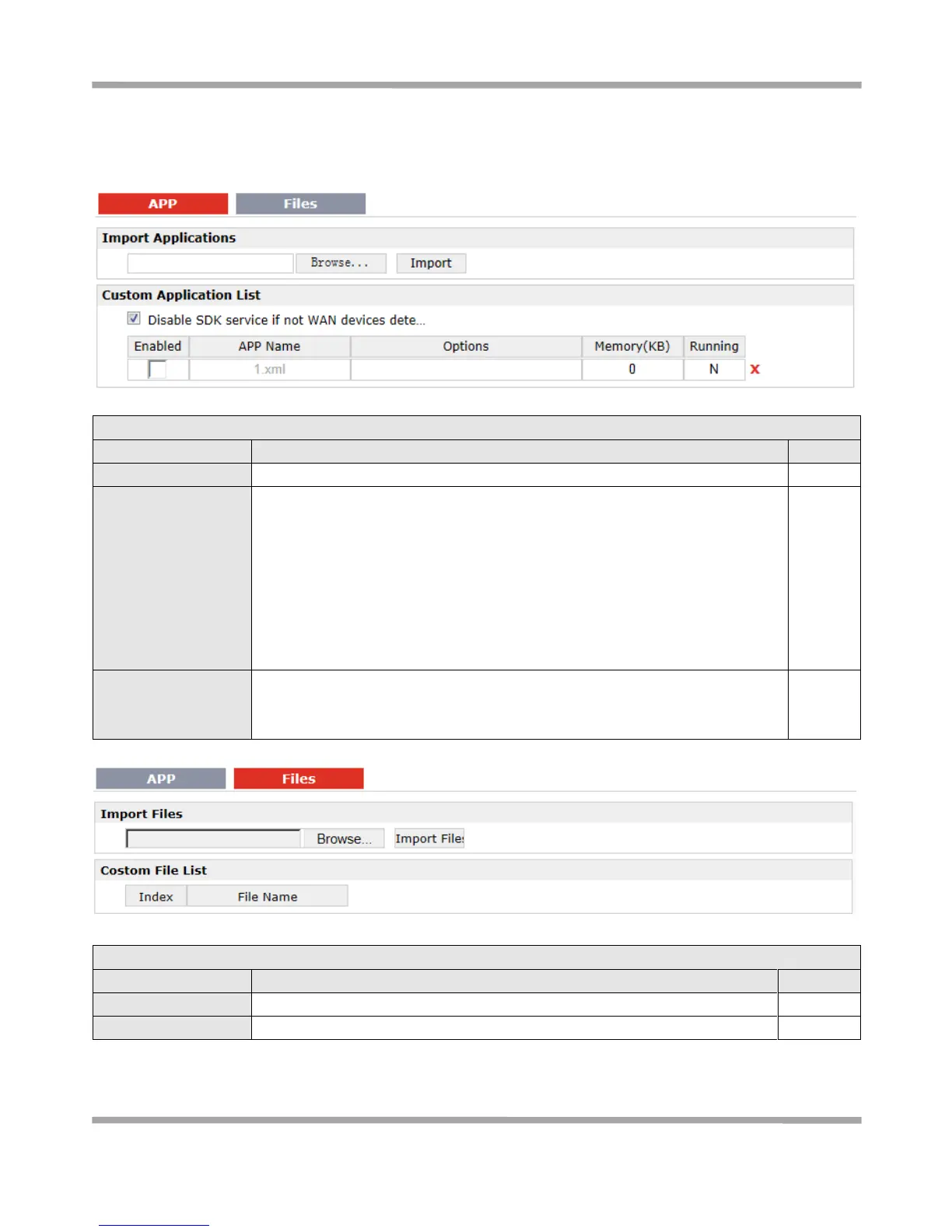
This section allows users to set SDK Management parameters of router.
Click to import APP files in this item.
This list shows which APP files you have imported to the router, which APP file
you want to start up, as well as the running information.
Enable: Click to enable the APP file.
APP Name: Shows the name of the APP files.
Options: It is an optional items, user can choose to configure startup
parameters here.
Memory (KB): Shows the memory resources occupied by the APP files.
Running: Shows whether the APP files are running.
Disable SDK service if
not WAN device
dete…
Click to run the SDK APP only after WAN interface is up.
If you don’t click this option, the SDK APP will run before the WAN interface is
up.
Click to import configuration files in this item.
This list shows which Configuration files you have imported to the router.










 To Next Page