Robustel GoRugged R3000 Quad User Guide
RT_UG_R3000 Quad_v.1.2.0 02.07.2015 91 / 136
Confidential
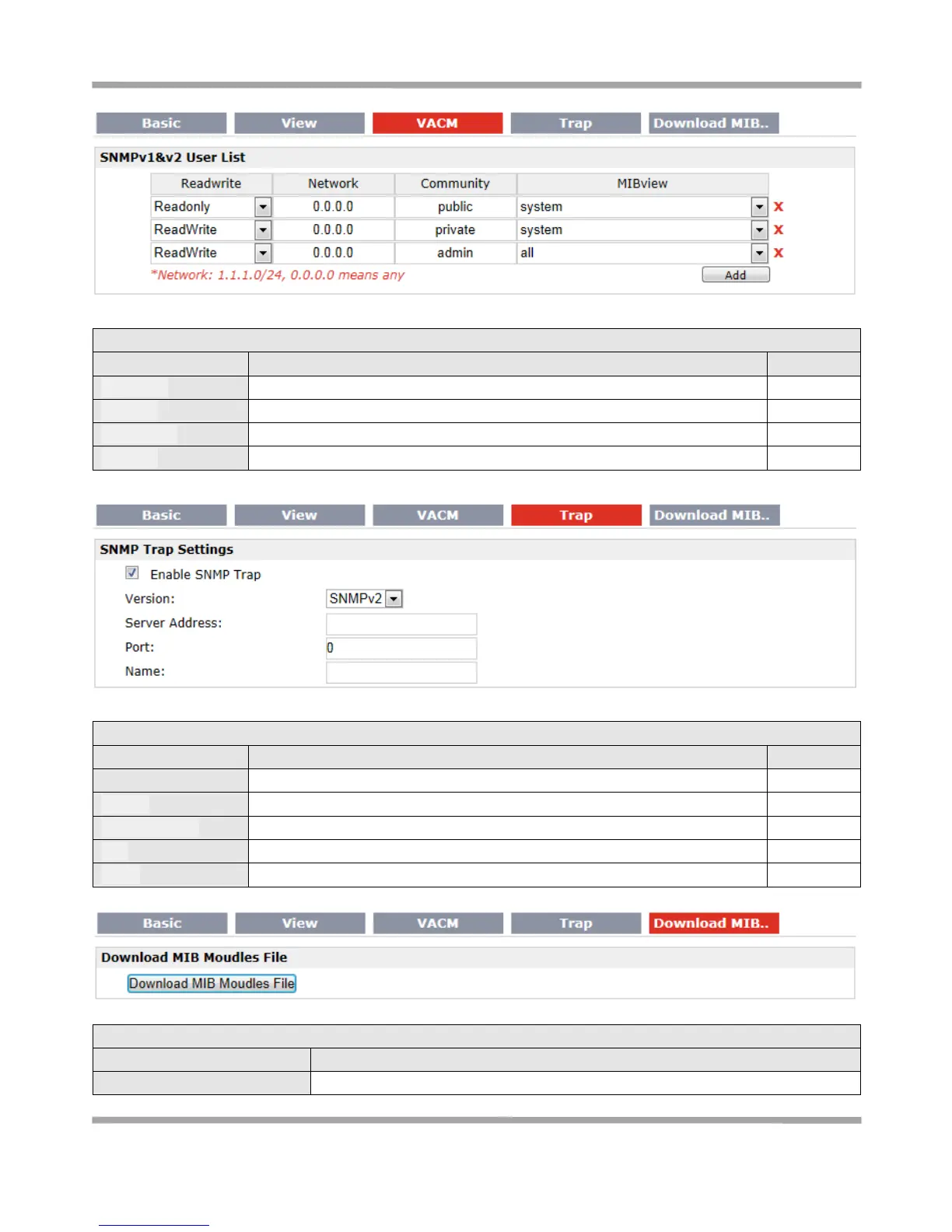
Select the access rights from “Readonly” and “ReadWrite”.
Define the network from which is allowed to access. E.g. 172.16.0.0.
Enter the community name.
Select from “none”, “system” and “all”
Click to enable SNMP Trap feature.
Select from “SNMPv1”, “SNMPv2” and “SNMPv3”.
Enter SNMP server’s IP address.
Enter SNMP server’s port number
Enter SNMP server’s name.
Download MIB Moudles File @ SNMP
Download MIB Moudles File
Click to download the MIB Moudles File










 To Next Page