Robustel GoRugged R3000 Quad User Guide
RT_UG_R3000 Quad_v.1.2.0 02.07.2015 46 / 136
Confidential
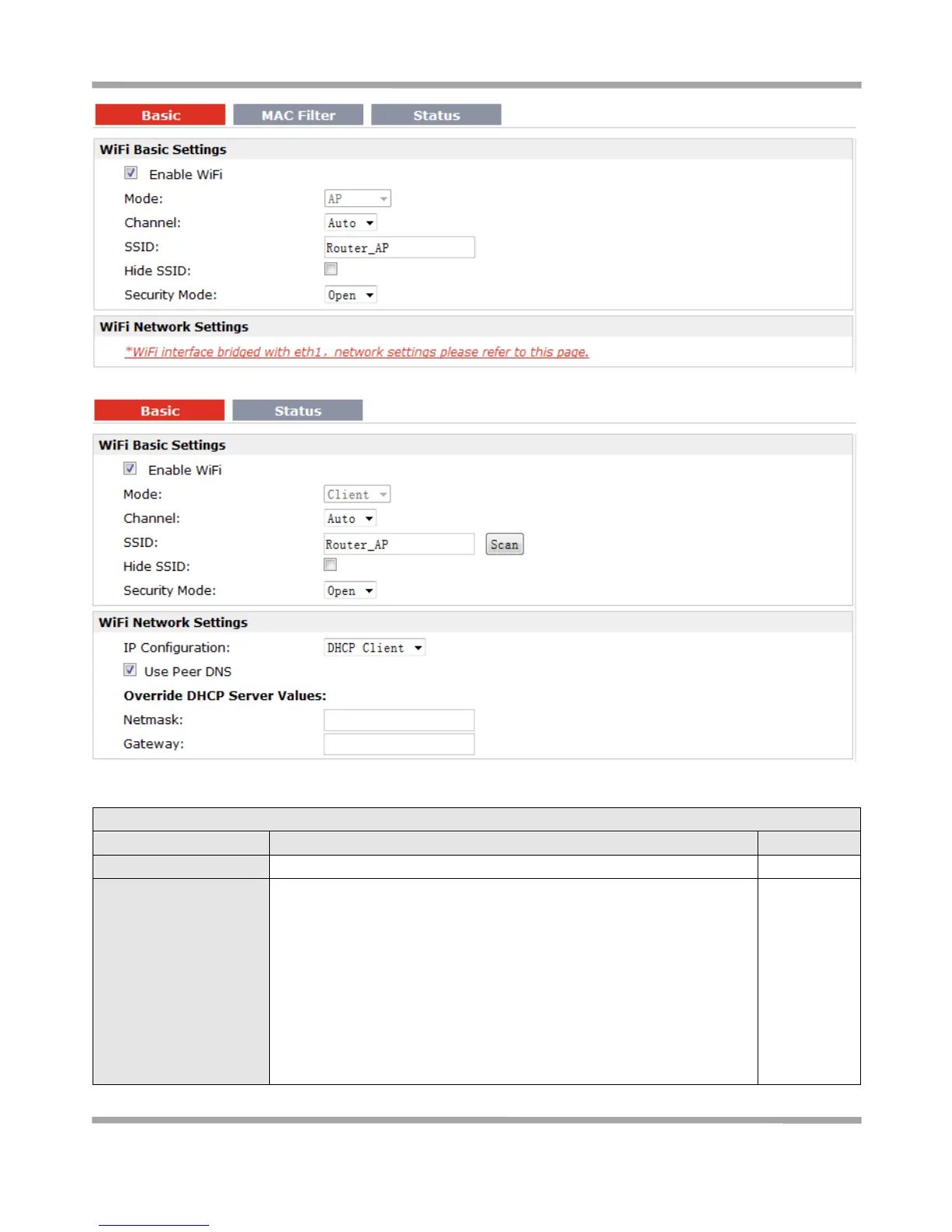
Note: when R3000 enable WiFi feature and works as AP mode
Note: when R3000 enable WiFi feature and works as Client mode
This item will show “AP” and “Client”, cannot be configured.
AP: In a wireless local area network (WLAN), an access point is a station
that transmits and receives data. When R3000 is wanted to work as
“AP” mode, please go to tab “Configuration” -> “Link Management” ->
“Primary Interface” to select “Cellular” or “Eth0” as WAN link.
Client: When R3000 works as Client mode, it can be used as an
Ethernet-to-wireless (or LAN-to-WLAN) network adaptor. For example,
a notebook computer equipped with an Ethernet adaptor but no
wireless card can be connected to the router with an Ethernet cable to










 To Next Page