Robustel GoRugged R3000 Quad User Guide
RT_UG_R3000 Quad_v.1.2.0 02.07.2015 84 / 136
Confidential
Tick to enable L2TP server.
Set the username which will assign to L2TP client.
Set the password which will assign to L2TP client.
Select from “PAP”, “CHAP”, “MS-CHAP v1” and “MS-CHAP v2”.
L2TP client need to select the same authentication method based on this
server’s authentication method.
Enable Tunnel
Authentication
Tick to enable tunnel authentication and enter the tunnel secret which
will provide to L2TP client.
Set the IP address of L2TP server.
Set the IP pool start IP address which will assign to the L2TP clients.
Set the IP pool end IP address which will assign to the L2TP clients.
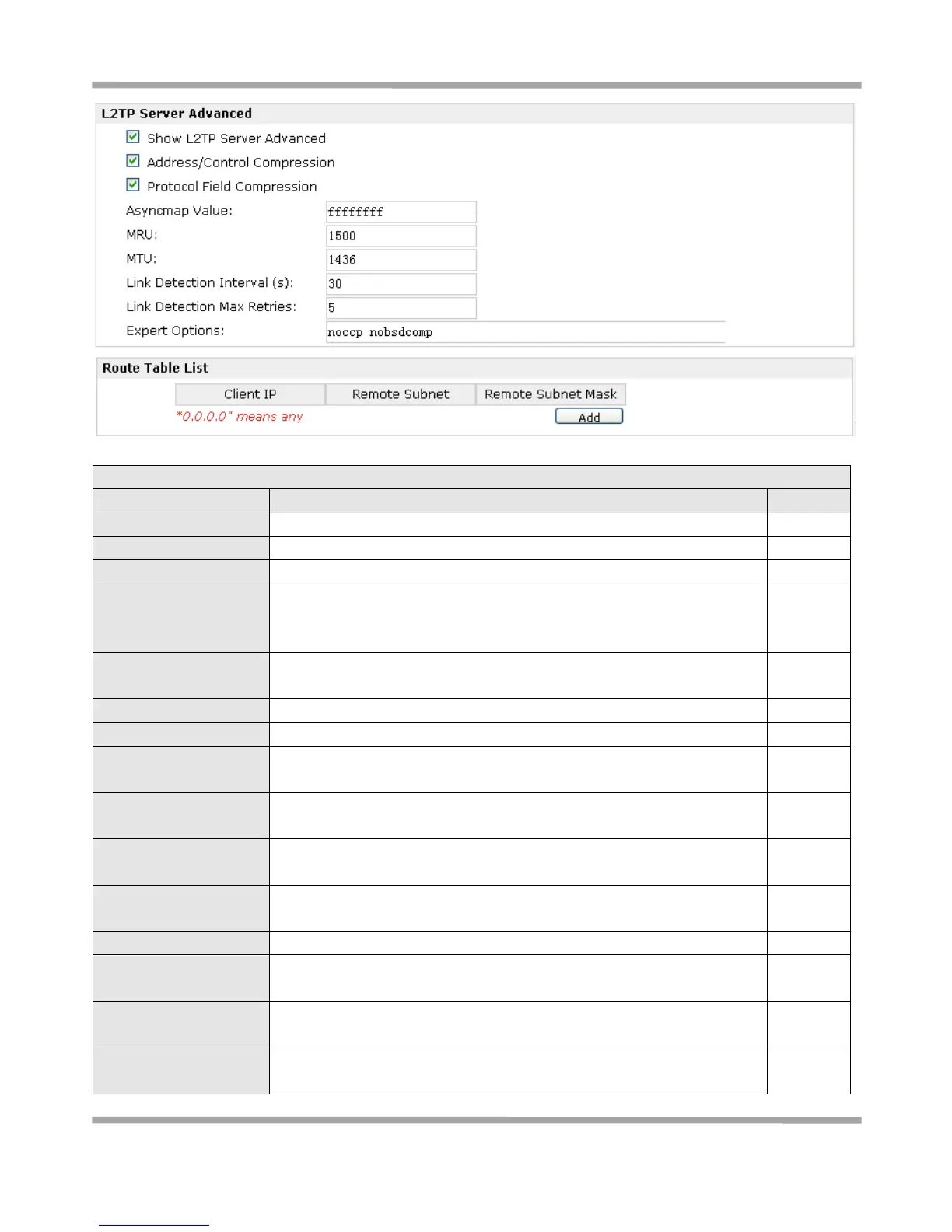
Show L2TP Server
Advanced
Tick to show the L2TP server advanced setting.
Address/Control
Compression
Used for PPP initialization. In general, you need to enable it as default.
Protocol Field
Compression
Used for PPP initialization. In general, you need to enable it as default.
Set the Port number of the L2TP server.
One of the L2TP initialization strings. In general, you don’t need to modify
this value.
Maximum Receiving Unit. It is the identifier of the maximum size of
packet, which is possible to receive in a given environment.
Maximum Transmission Unit. It is the identifier of the maximum size of
packet, which is possible to transfer in a given environment.










 To Next Page