Robustel R1510 User Guide
RT_UG_R1510_v.1.0.1 Dec. 31, 2019 31/140
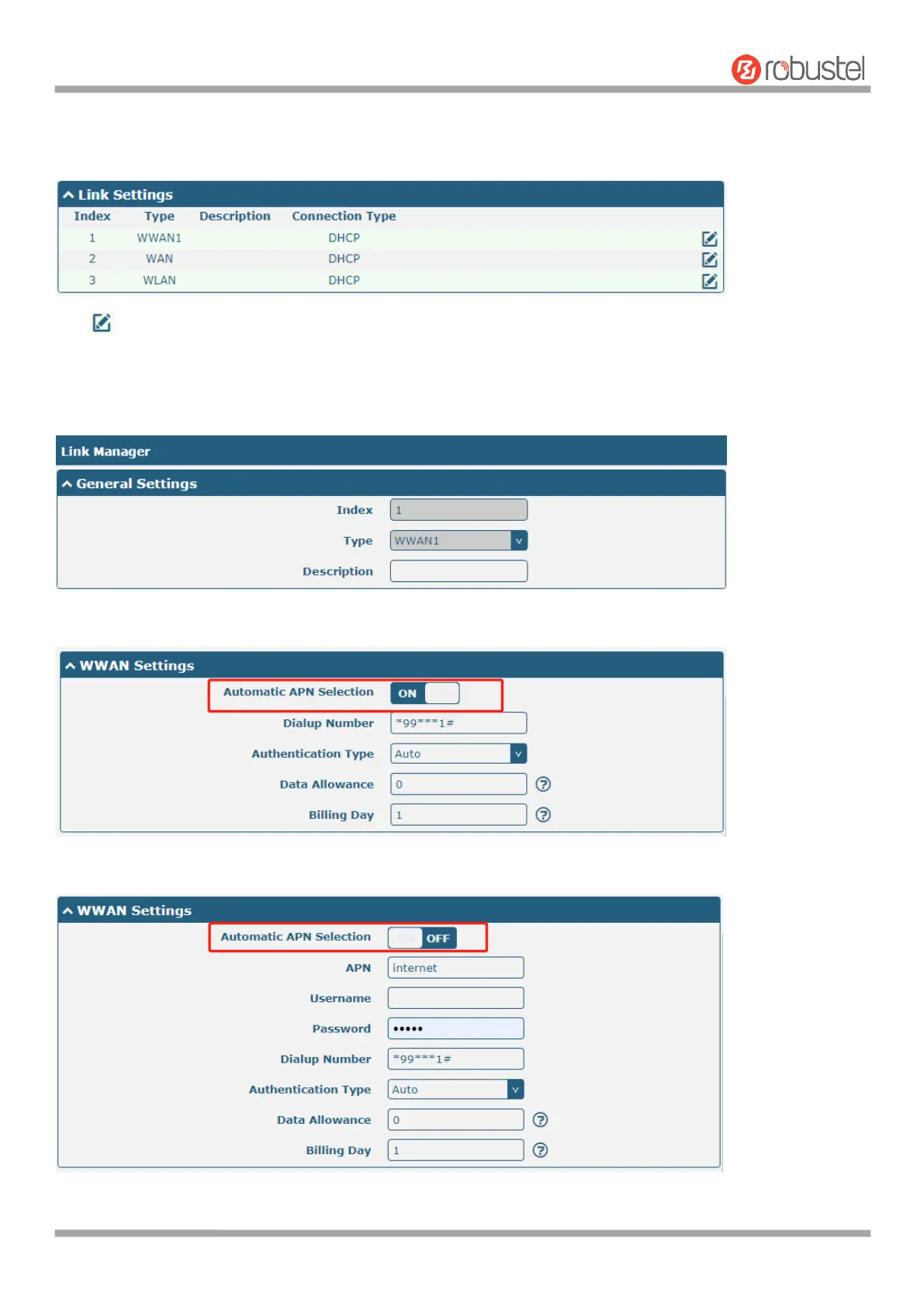
Link Settings allows you to configure the parameters of link connection, including WWAN1, WAN and WLAN. It is
recommended to enable Ping detection to keep the router always online. The Ping detection increases the reliability
and also costs the data traffic.
Click on the right-most of WWAN1/WAN/WLAN to enter the configuration window.
WWAN1
The window is displayed as below when enabling the “Automatic APN Selection” option.
The window is displayed as below when disabling the “Automatic APN Selection” option.













 To Next Page