Robustel R1510 User Guide
RT_UG_R1510_v.1.0.1 Dec. 31, 2019 52/140
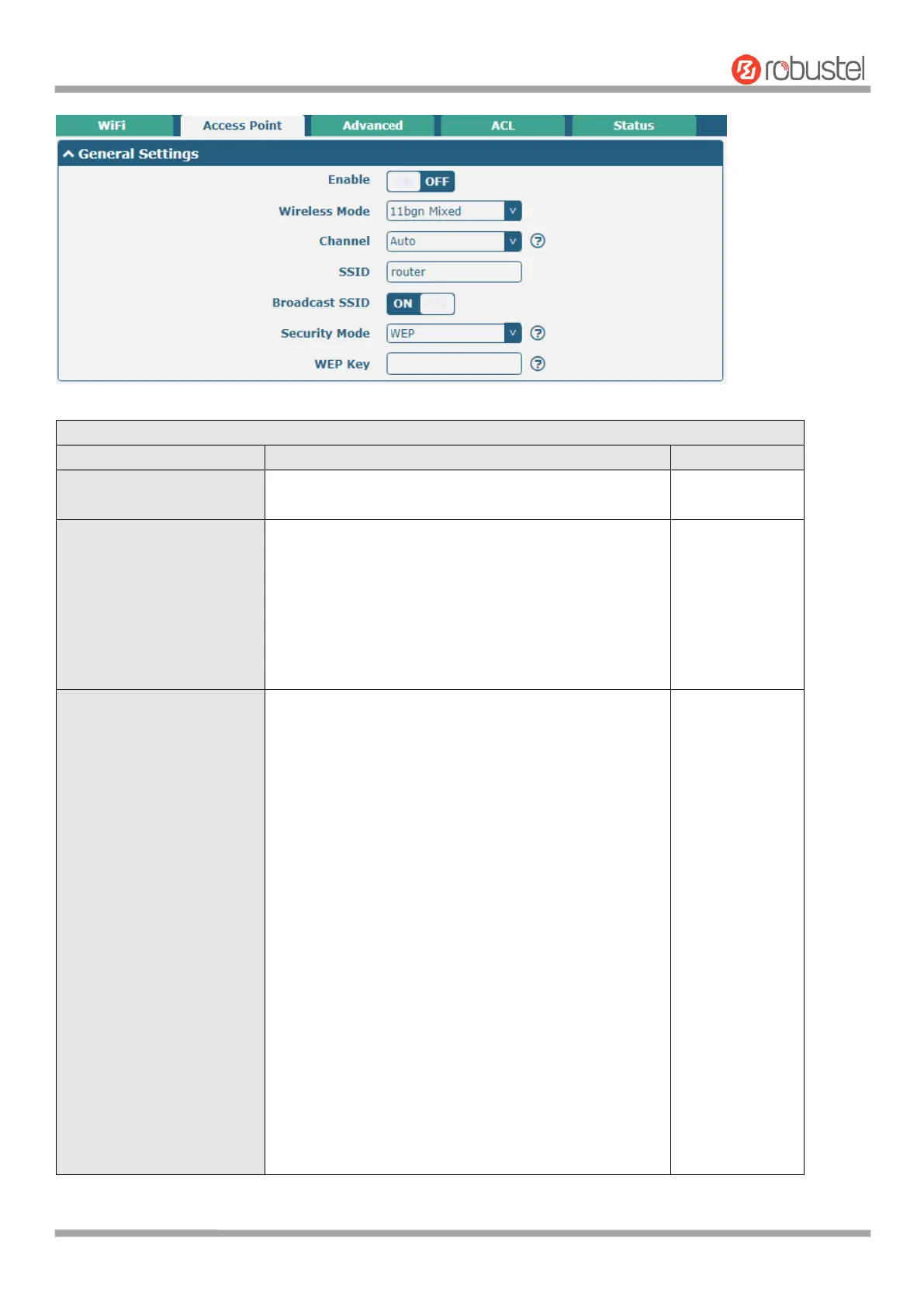
General Settings @ Access Point
Click the toggle button to enable/disable the WiFi
access point option.
Select from “11bgn Mixed mode”, “11b only”, “11g
only” and “11n only”.
11bgn Mixed mode: mix three protocols for
backward compatibility
11b only: IEEE 802.11b, 11 Mbps~2.4GHz
11g only: IEEE 802.11g, 54 Mbps~2.4GHz
11n only: IEEE 802.11n, 300 Mbps
The channel that different bandwidth can choose is as
follows.
Auto: Router will scan all frequency channels until
the best one is found
1~13 channel will be fixed to work with this
channel
Following are the frequency of 1~13 channel:
1–2412 MHz
2–2417 MHz
3–2422 MHz
4–2427 MHz
5–2432 MHz
6–2437 MHz
7–2442 MHz
8–2447 MHz
9–2452 MHz
10–2457 MHz
11–2462 MHz
12–2467 MHz
13–2472 MHz













 To Next Page