ROMET 4E Electric Vehicle Instruction Manual
18
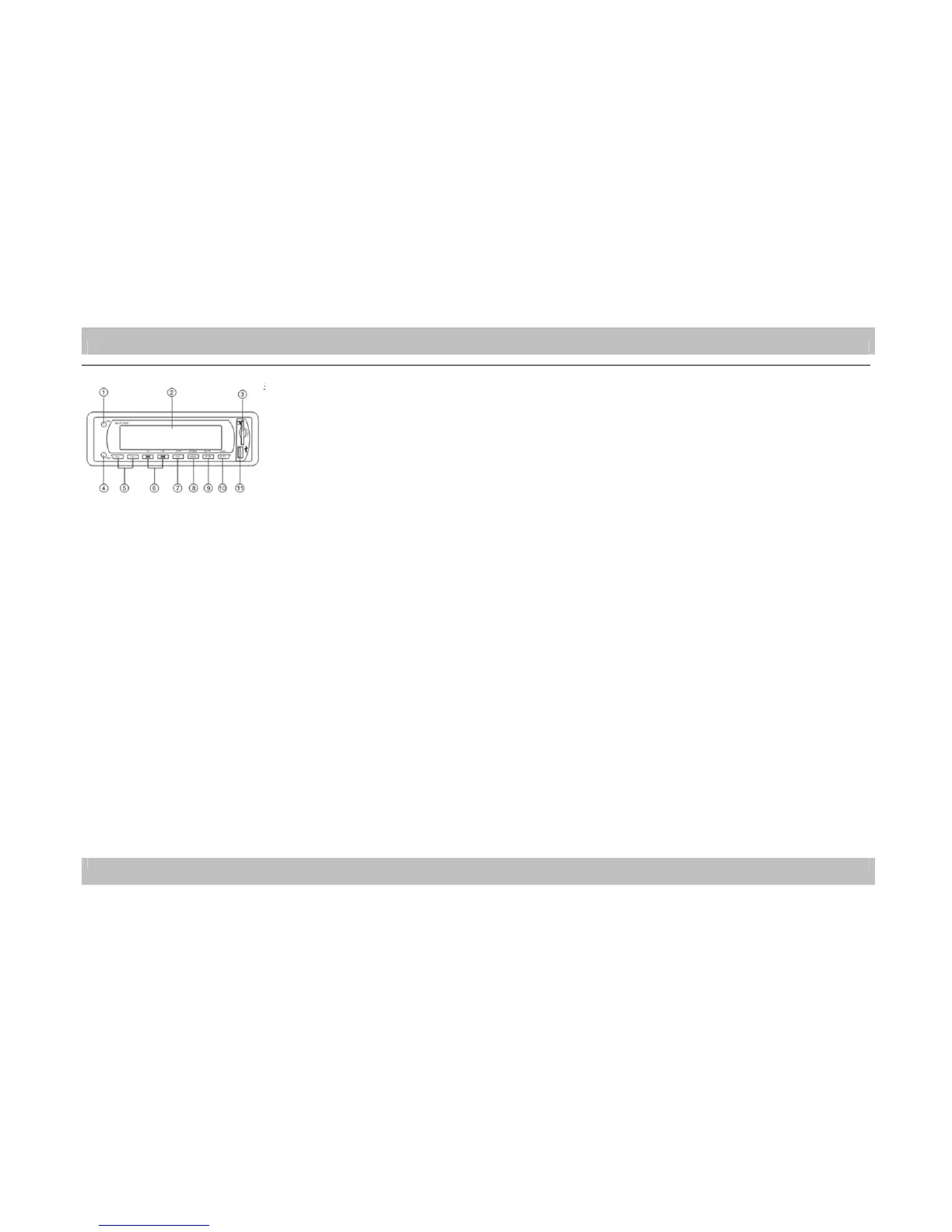
Automotive radio / MP3 player
1.Power switch/tone mode button
Shortly press the power switch to start up; another press to shut down; long press the button to switch among the
following five tone modes: BAS/TRE/BAL/DSP OFF/VOL. Use this button with volume button to regulate the tone
mode.
2. Display screen
It shows the radio reception frequency and the information for current playing.
3. SD/MMC card receptacle
Insert SD/MMC card and automatically play the music in relevant formats.
4. AUX-IN port
Used for external audio signal input.
5. Volume button
Under the reception or playing conditions, shortly press to adjust the volume while the highest sound level is 32 and the lowest is 0.
6. Tuning/selecting button
Under radio reception, long press >> or << button to manually search for the broadcasting stations; under playing condition, shortly press >> or << button to
respectively select songs upward or downward; long press >> or << to respectively implement the function of +10 or -10 for the songs.
7. CLK button
Shortly press CLK button and the host will show the time; long press this button, and the host will enter the regulation condition of the perpetual calendar. When the
yearly symbol is blinking on the screen, press the CLK button and the volume button simultaneously to adjust the calendar year. After setting of the year, repeat short
pressing the CLK button to select the month, date, 24-hour mode, clock and minute in the calendar and adjust the relevant item. When the symbol for adjusting each
option is blinking on the display screen, press CLK and the volume button at the same time to adjust. Long press CLK to log off the perpetual calendar and clock
adjustment state after setting completion.
8. BAND button
Under radio reception, shortly press BAND to switch the functions of FM waveband, while the cycling switching sequence is as follows: F1-F2-F3. When manually
locking the radio, long press BAND to keep the broadcasting stations gained from manually searching.
9. MODE button
Shortly press MODE to switch the functions for the mode. With connection between host and USB flash disk & SD/MMC cards, shortly press MODE to switch USB
flash disk, SD/MMC card and radio and AUX-IN in sequence; with connection between host and USB flash disk or SD/MMC card, shortly press MODE and the host
will automatically ignore the unused mode; if no devices connected to the host, shortly pressing MODE is invalid. During radio reception, long pressing MODE is
the function of automatically locking the station.
10. MUTE button
Shortly press MUTE to initiate the silent function, and shortly press again to remove the silent function; long press this button to activate loudness function, while
long press again to remove the loudness function.
11. U-port
Insert USB flash disk and the device will automatically play the songs in relevant formats.



 To Next Page