6-18 Rosco Maximizer 2B Asphalt Distributor
Operation
Plus One Controller Error
Messages
If the Plus One Controller malfunctions, it will display an
error message informing the operator that there is a
problem. If this occurs, do not try to repair the controller
on-site. Call your authorized Rosco Dealer or a Rosco
Factory Representative for assistance.
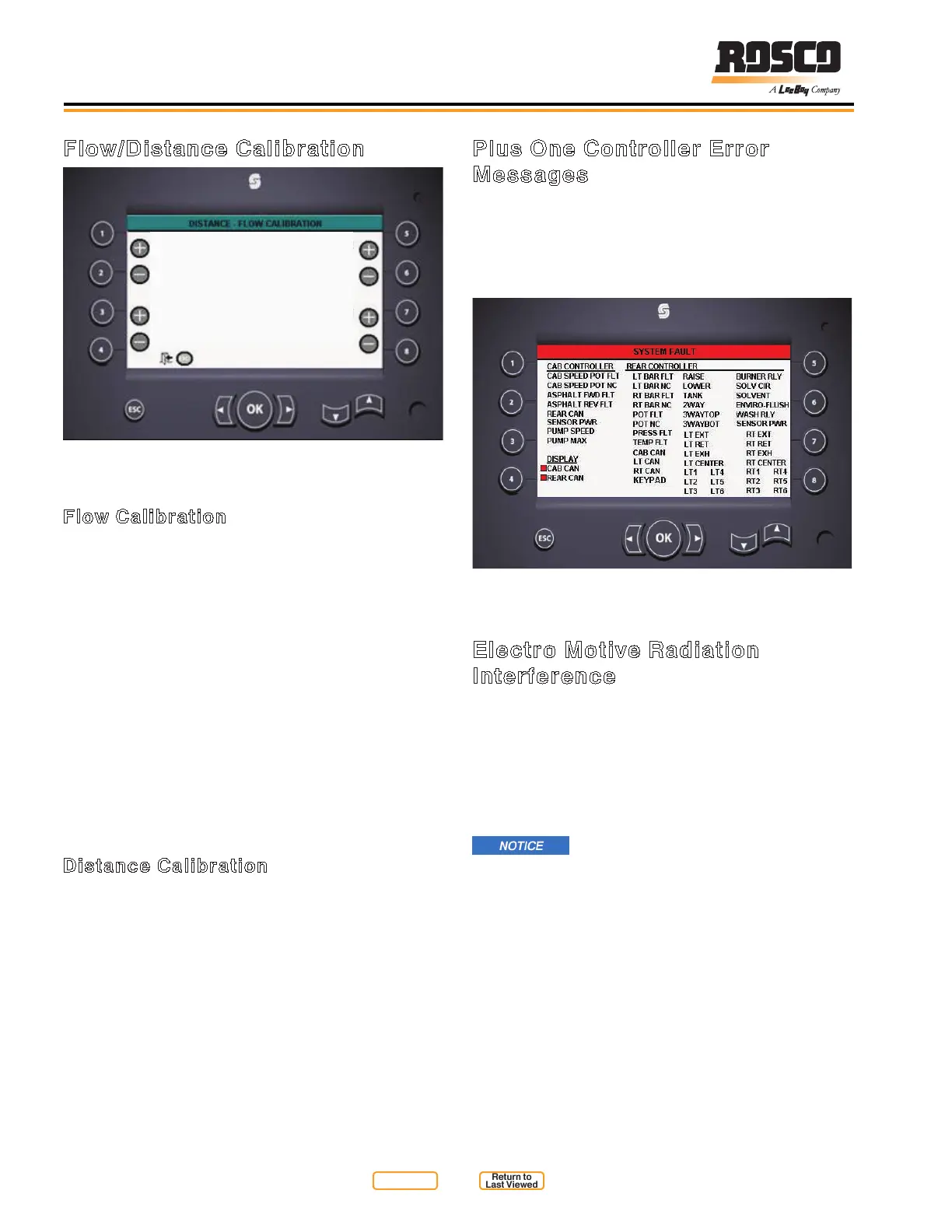
System Fault Screen
Figure 6-12
Electro Motive Radiation
Interference
High Electro Motive Radiation (EMR) produced by
citizen band radios and other sources can interfere
with the function of the Plus One Controller. EMR
causes stray voltages to be induced in the signals to
and from the computer. As a result, the machine could
unespectedly speed up and/or the application rate
could suddenly change.
If EMR is present, the machine should
be tested at a remote site to insure that there are no
abrupt movements or extreme levels of application.
Possible solutions for problems caused by EMR include:
1. Remove the source of the radiation.
2. Move the source of the radiation away from the
computer area.
3. Shield the computer and/or the wiring (particularly
the power lead going to the computer) in metal
enclosures.
Flow/Distance Calibration
ACTUAL DISTANCE
TARGET DISTANCE
1000
FEET
TARGET VOLUME
GALLONS
ACTUAL VOLUME
1000
10001000
Distance / Flow Calibration
Figure 6-11
Flow Calibration
Flow calibration compares a programmed volume of
material to be applied with the actual volume of material
used and then compensates for the difference. This
procedure is done to assure accurate future application
of material.
From the setup menu the operator selects ow
calibration. We recommend spraying at least 1000
gallons at the set application rate. This will be the
target volume in auto spray mode. Clear the gallons
total and then enter auto spray mode. Dip the tank with
the measuring stick before spraying. Spray the target
volume of asphalt. Dip the tank with the measuring stick
after spraying to determine how much material was
actually sprayed. Enter the actual volume of asphalt
used on the ow calibration screen. This will calibrate
the control system.
Distance Calibration
Distance calibration makes sure the distributor
accurately measures the distance travelled. Similar
to ow calibration it compares a known distance with
the actual distance travelled and compensates for any
difference. Select Distance Calibration from the setup
menu. Clear the totals and drive a known distance.
Complete Distance Calibration by entering the actual
distance travelled.
Return to
Last Viewed
Return to
Thumb Index


 To Next Page