Reference Manual
00809-0100-4841, Rev. AA
May 2007
Rosemount 3490 Series
4-10
Outputs:
This includes setting-up:
• 4-20mA Current Output (see Section “Current Output“ on page 4-39).
• Relays (see “Relays“ on page 4-40).
Other features:
This includes configuring Data Logging, Alarm handling, the Primary Display,
Serial Communications and Pin Security.
Final Step:
Put the 3490 Series Control Unit on-line (see “Modes of operation”, below).
For checks (e.g. Auto-Cycle), diagnostics and faultfinding, see
Section 5: Service and Health Checks.
Modes of operation
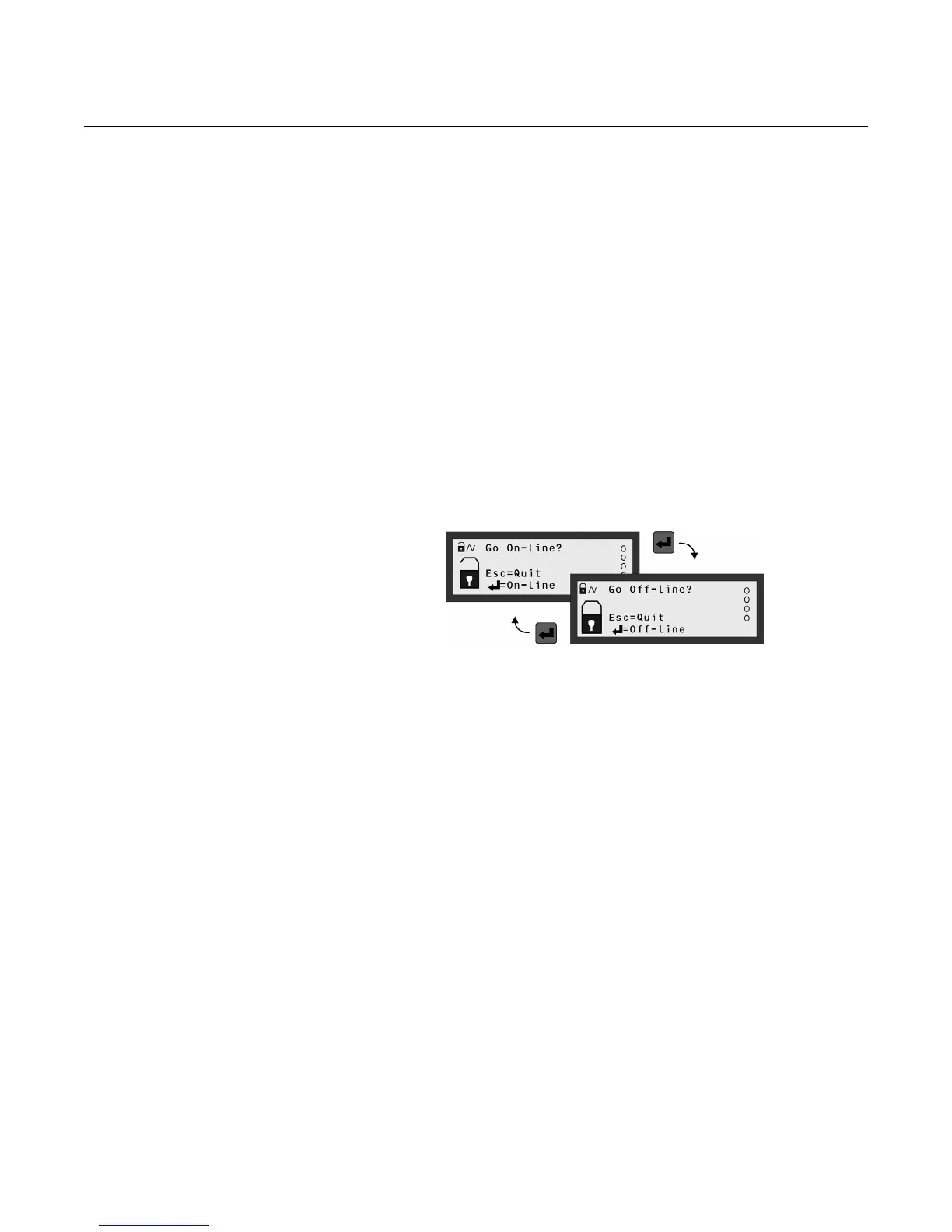
There are two operating modes: on-line and off-line.
Figure 4-14. How to toggle
between on-line and off-line
An open padlock icon indicates the 3490 Series Control Unit is presently in
the off-line mode. In this mode, the unit can be programmed providing that
you know the security PIN (if set-up). Additionally, the 4-20mA output is frozen
and all relays are frozen unless allocated to totalising and sampler duties.
Fault relays are de-energized.
A closed padlock icon indicates that the 3490 Series Control Unit is presently
in the on-line mode. In this mode, most of the unit cannot be programmed.
However, you will be prompted to go off-line if you attempt to programme
whilst in this mode and providing that you know the security PIN (if set-up).
Additionally, the 4-20mA output and all relays are enabled.
Unit Security
By default, security restrictions are switched off and the user has access to all
set-up parameters. Once programming is complete, a PIN security code can
be used to prevent unauthorised access.
For details, refer to Section “PIN Security“ on page 4-75.
If you get into difficulties…
There is trouble-shooting information in Section 5: Service and Health
Checks. Alternatively, the 3490 Series Control Unit can be re-set to the factory
defaults as guided in the Section “Restoring the factory defaults“ on page D-1.



 To Next Page