Reference Manual
00809-0100-4841, Rev. AA
May 2007
4-25
Rosemount 3490 Series
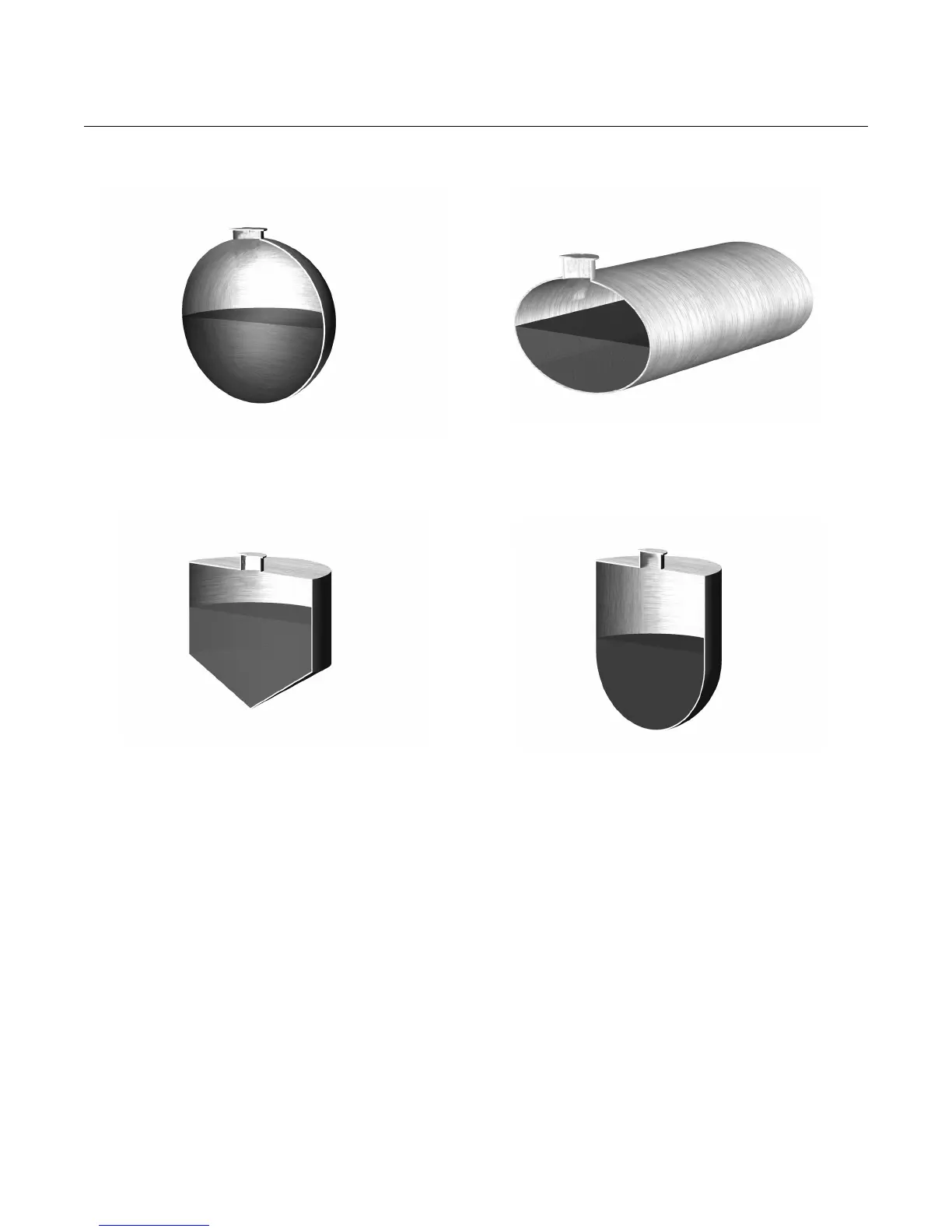
Figure 4-19. examples of
popular NLP applications
* The non-linear profile (NLP) is plotted automatically when editing P113, or when using “Duty” Wizard.
Menu: SETUP / [CONTROL UNIT /] DUTY(Mode) / Duty Wizard
‡ P115 is plotted with a simple cone if P113 is edited manually.
Using the 20-point manual plot feature in a contents application
When parameter P113 is set to be "special", P115 (CH1 NLP Data) is used for
defining a 20-point look-up table that represents the non-linear profile of a
tank/vessel that is not in the 3490’s library.
Each point is a Cartesian co-ordinate (X, Y). The X points are at user-defined
intervals, typically in equal increments (5%) of maximum height. The X value
represents a level. The Y value is the corresponding volume.
Alternatively, these values may be entered in actual level (e.g. in metres) and
volume (e.g. m3) in which P114 and P116 are both 1.000. The volume is
derived from the plotted profile using interpolation between the plot points.
P113 = “Spherical”
P114 = (1.0 / Diameter of tank)
P115 = Plotted profile of tank *
P116 = Full volume of ideal spherical tank
P113 = “Horiz Cyl Flat”
(Horizontal Cylinder, Flat Ends, Slope Ignored)
P114 = (1.0 / Diameter of tank)
P115 = Plotted profile of tank *
P116 = Full volume of ideal cylindrical tank
P113 = “Conical” ‡
P114 = (1.0 / Maximum level)
P115 = Plotted profile of tank *
P116 = Full volume
P113 = “Horiz Cyl Flat”
(Horizontal Cylinder, Domed, Slope Ignored)
P114 = (1.0 / Diameter of tank)
P115 = Plotted profile of tank *
P116 = Full volume



 To Next Page