L600N - Dual Band Wireless Router
29
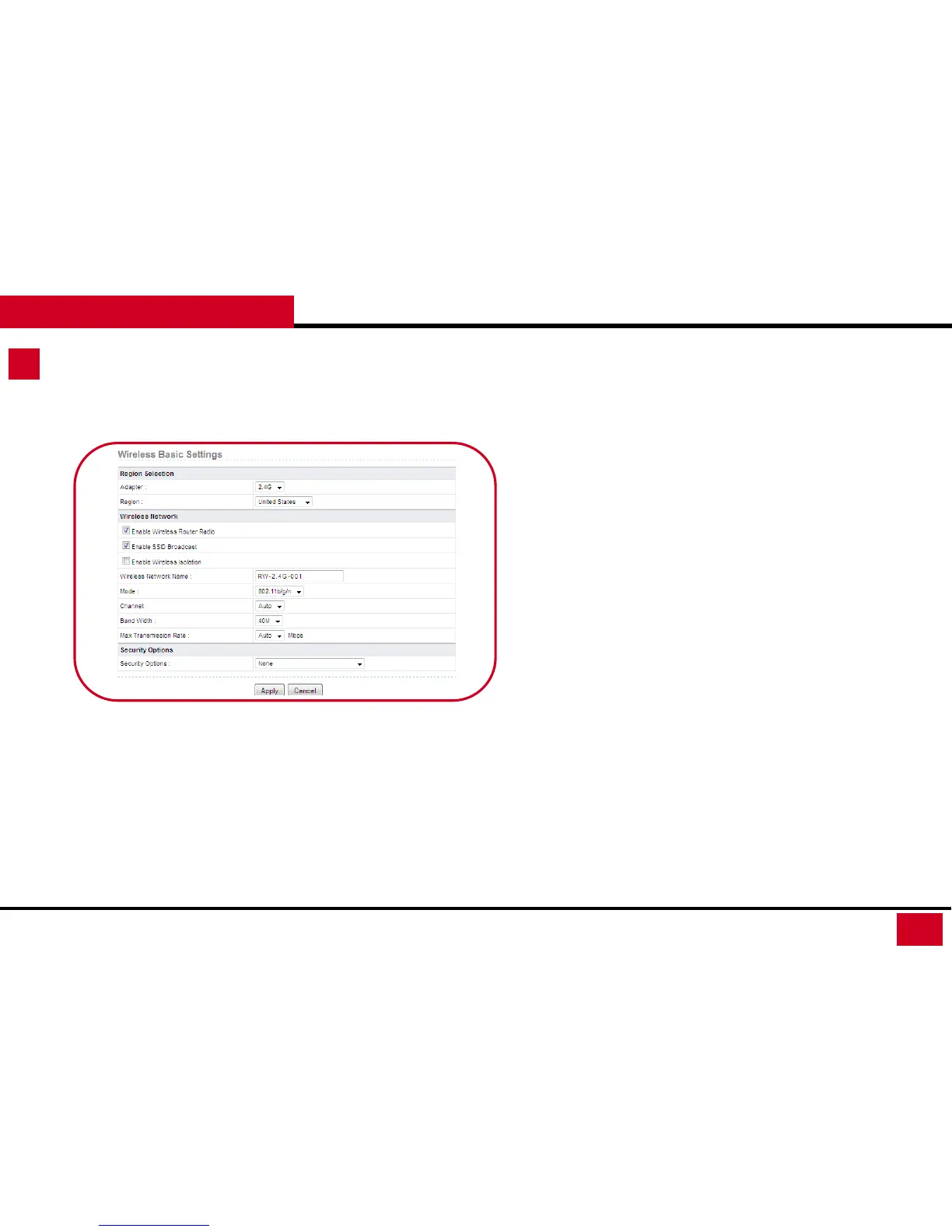
Wireless Setup – Basic Setup
CONFIGURATION GUIDE
• Wireless Network
• Wireless Network Name: This is SSID. You can set this
to your desired name.
• Mode:
• 2.4G supports the following mode: 802.11b,
802.11b/g, 802.11b/g/n.
• 5G supports the following mode: 802.11a,
802.11a/n
• To fully utilize your L600N, we suggest 2.4G
with 802.11b/g/n; 5G with 802.11a/n.
• Channel: Set Auto if you are not sure what is the best
channel to avoid neighbors’ signal interference. System
will pick for you.
• Bandwidth:
• For 20M, the maximum rate is 130 Mbps (150
Mbps in short preamble);
• For 40M bandwidth, the maximum rate is 270
Mbps (300 Mbps in short preamble).
• Max Transmission Rate: Select one from the drop-
down list that displays all rates that the system
supports. Or set at Auto for system to adjust the best
transmitting rates for you.



 To Next Page