L600N - Dual Band Wireless Router
33
CONFIGURATION GUIDE
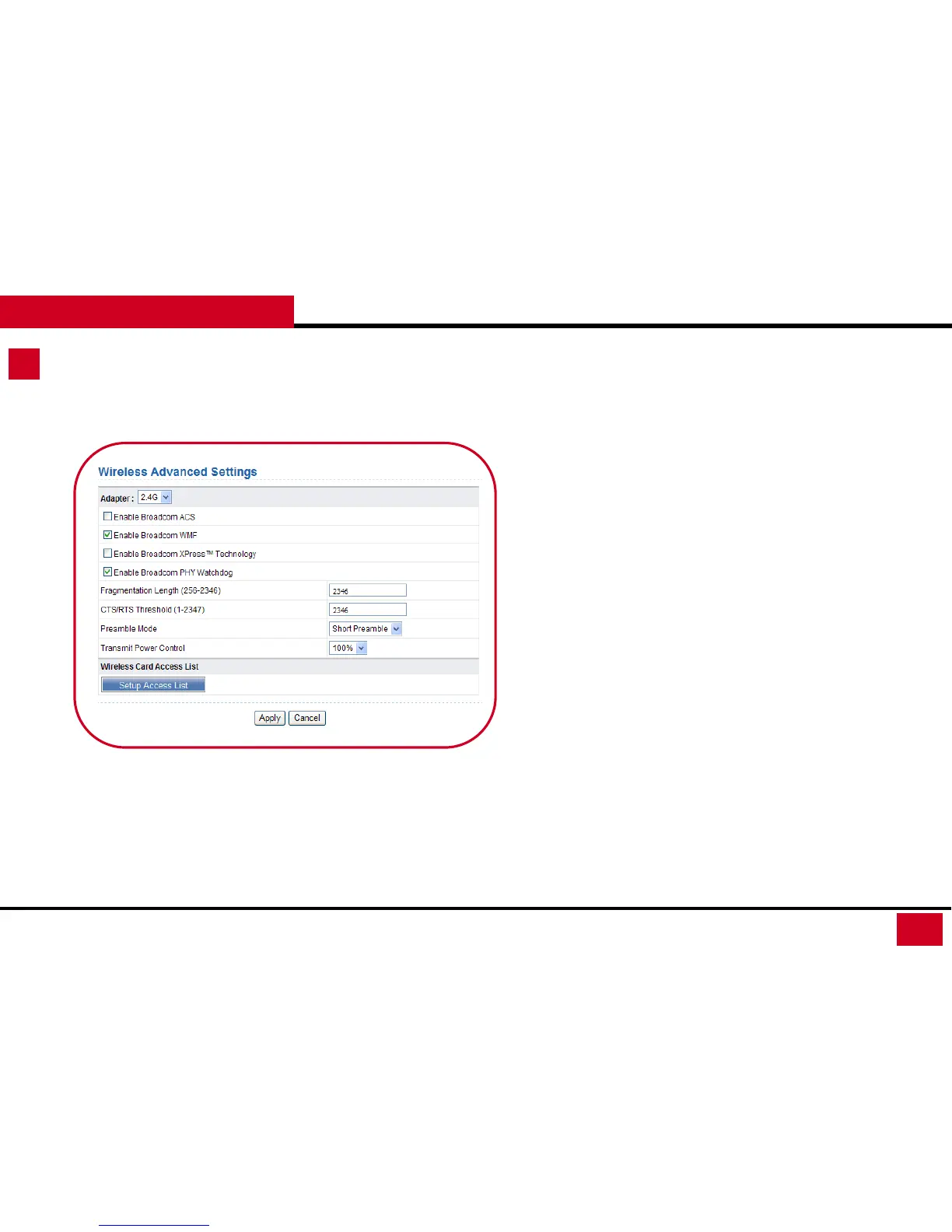
Wireless Setup – Advanced Setup
4. Wireless Advanced Settings: Wireless Advanced Settings allows
you to set advanced wireless configuration. (If you are not sure
what they are, please keep default settings)
• Adapter: 2.4G / 5G
• Enable Broadcom ACS: Broadcom ACS will allow the best
bandwidth and channel can be selected dynamically.
• Enable Broadcom WMF: When Broadcom WMF is enabled,
better wireless multicast can be provided. This feature is enable
by default.
• Enable Broadcom XPress™ Technology: This enables the
Broadcom STA connection to have better wireless performance.
The function is disabled by default.
• Enable Broadcom PHY Watchdog: If the function is enabled,
calibration is performed periodically to make parameters such
as the output power more precise.
• Fragmentation Length (256-2346): This is to set the transferred
packet size. If the length was set too small, your network may
be overloaded. Default at 2346.



 To Next Page