L600N - Dual Band Wireless Router
34
CONFIGURATION GUIDE
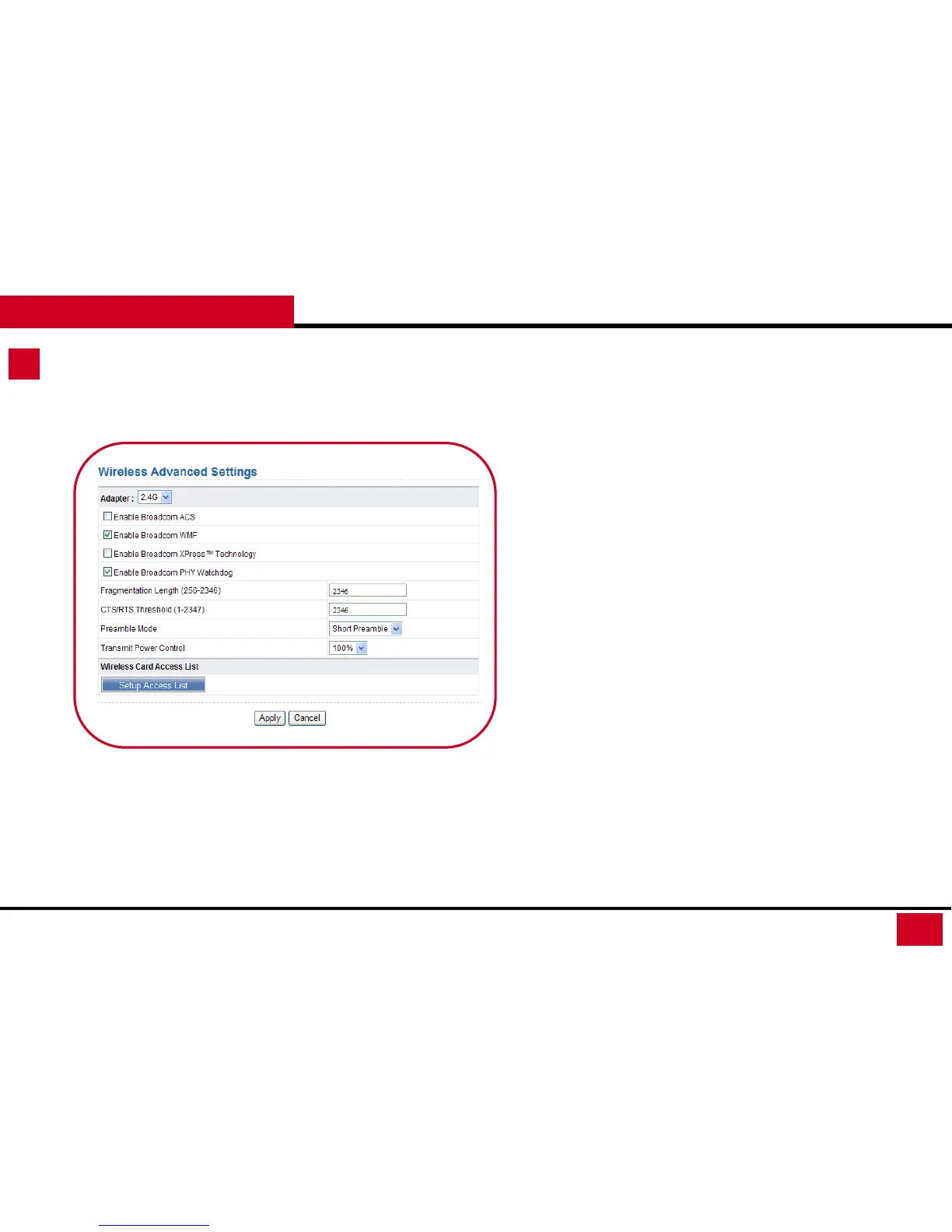
Wireless Setup – Advanced Setup
4. Wireless Advanced Settings: Wireless Advanced Settings allows
you to set advanced wireless configuration. (If you are not sure
what they are, please keep default settings)
• CTS/RTS Threshold (1-2347): If the length of a packet is greater
than this value here, the router sends an RTS frame to the
destination station to negotiate. After receiving the RTS frame,
the wireless station responds with a Clear to Send (CTS) frame
to the router, indicating that they can communicate with each
other. The default value is 2346
• Preamble Mode: If your Network environment will be heavy
loaded, you should set at Short Preamble. Short preamble is
mainly used to improve the efficiency of a wireless network for
applications that have high requirement of real-time, such as
streaming video and VoIP.
• Transmit Power Control: Set the transmit power of the router.
The default is 100%.



 To Next Page