L600N - Dual Band Wireless Router
48
CONFIGURATION GUIDE
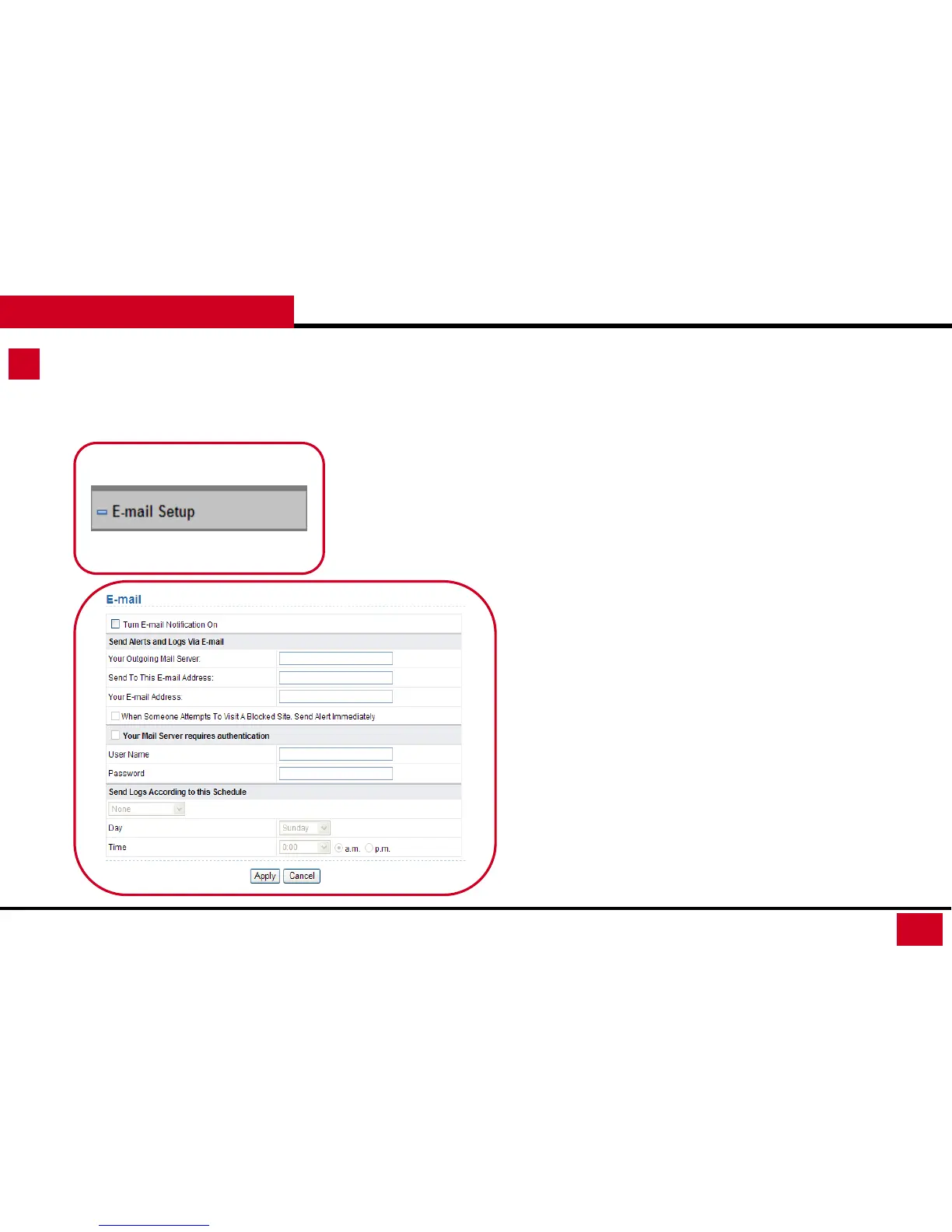
E-mail Setup
E-Mail Setup: Email alerts and logs can set to mail your email
address. Alerts contains when someone in your Network tries to
visit a blocked site while logs are the lists of all the URLs that this
router have been visited.
• Turn E-mail Notification On: Enable or disable E-mail
notification.
• Send Alerts and Logs Via E-mail: You will need to enter your e-
mail server and e-mail address here
• Your Mail Server requires authentication: If your mail server
requires authentication. Select this and enter the user name
and the password of your E-mail.
• Send Logs According to this Schedule: You can Select a
schedule from the drop-down list. When select “None” you can
always review the Logs in the Log page under System tools.



 To Next Page