L600N - Dual Band Wireless Router
59
CONFIGURATION GUIDE
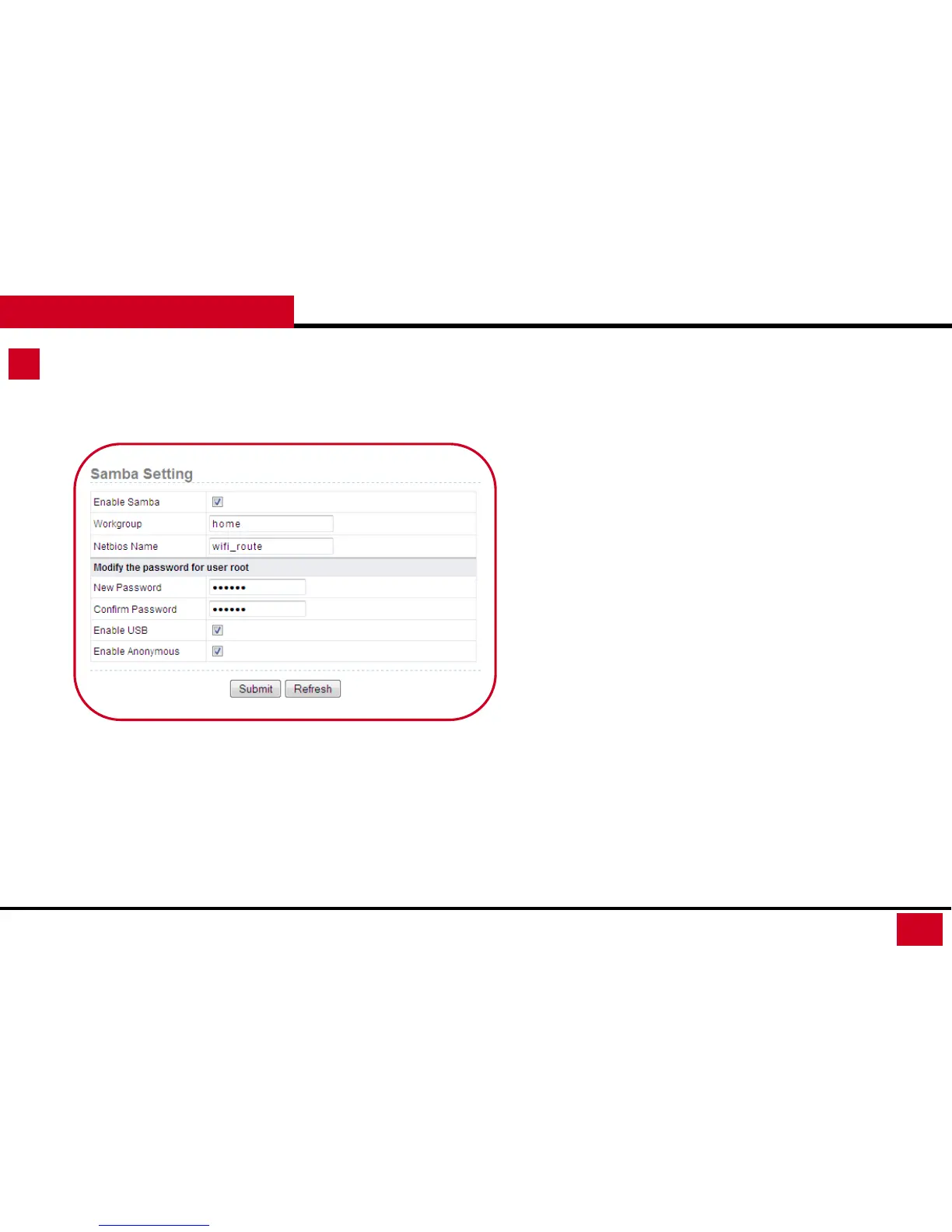
4. Samba Setting: Samba allows users to share file between
windows host and the device via LAN connection.
• Enable Samba: Enable or disable the Samba server. When the
Samba server is enabled, users can connect to your USB device
to share files in the USB device.
• Workgroup: The workgroup the device belongs to.
• Netbios Name: Set the network name for the device.
• Modify the password for user root: Here is to set the password
for Samba connection.
• New Password: You can modify the root user's password
here.
• Confirm Password: Type in the password again to
confirm the New Password.
• Enable USB: Whether to allow USB storage
• Enable Anonymous: Whether to allow anonymous
access. If you chose this, users do not need to enter a
user name and password that can log into the samba
server
Storage Setup – Samba Setting



 To Next Page