L600N - Dual Band Wireless Router
32
CONFIGURATION GUIDE
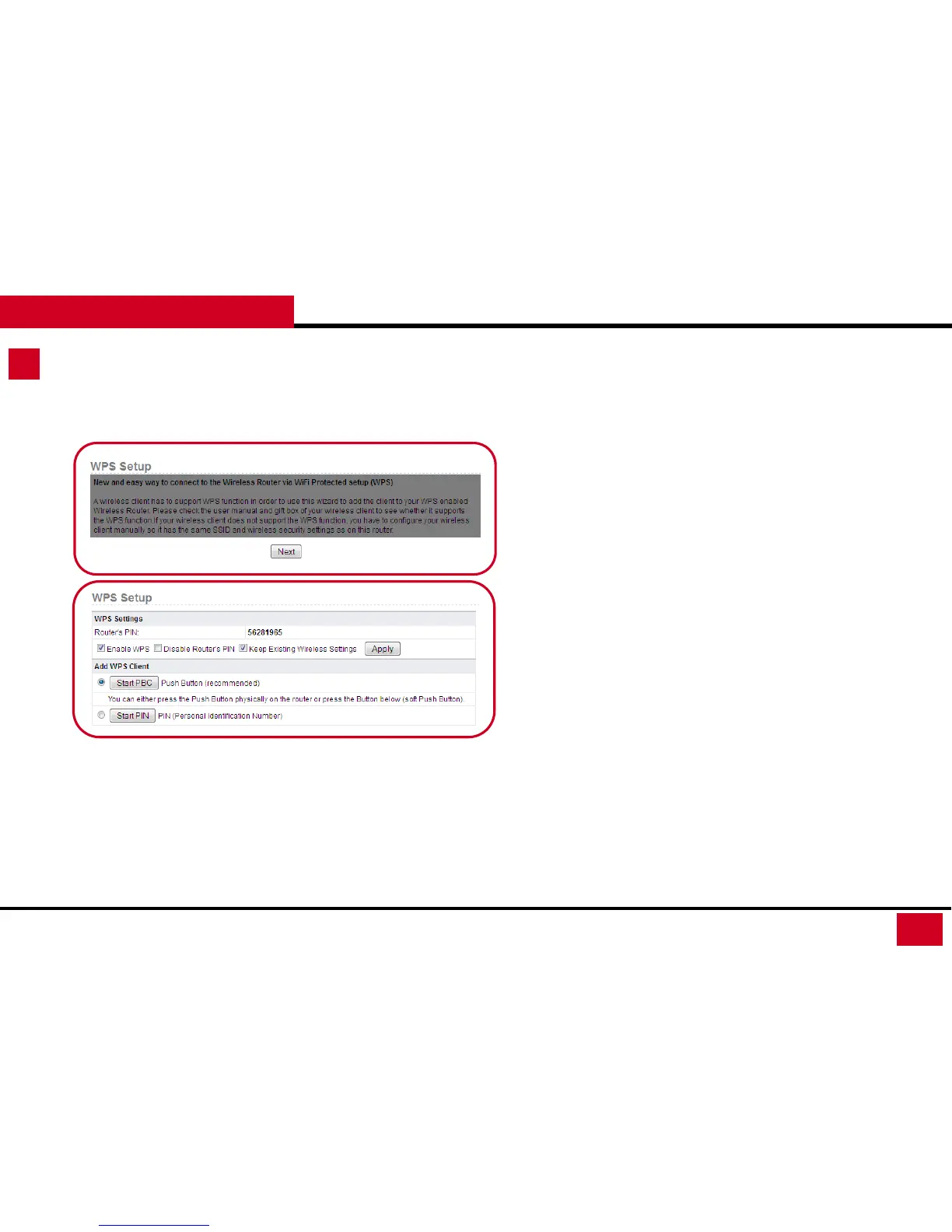
Wireless Setup – WPS Setup
3. WPS Setup: You can use the WPS setup function to add a
wireless client to a network without setting SSID, security mode,
and password.
• WPS Settings:
• Router’s PIN: This is the PIN you use when your adapter
does not support Push Button mode (PBC).
• Enable WPS: Enable or disable WPS function.
• Disable Router’s PIN: By disable the PIN, others won’t
be able to connect to your router by entering the PIN.
• Keep Existing Wireless Settings: Enable or disable
keeping the existing Wireless Settings.
• Add WPS Client: You can select the methods of adding WPS
Clients.
• Start PBC: Using PBC method to connect. You will need
to press WPS button on the adapter as well.
• Start PIN: Using PIN method to connect



 To Next Page