L600N - Dual Band Wireless Router
50
CONFIGURATION GUIDE
Security Options
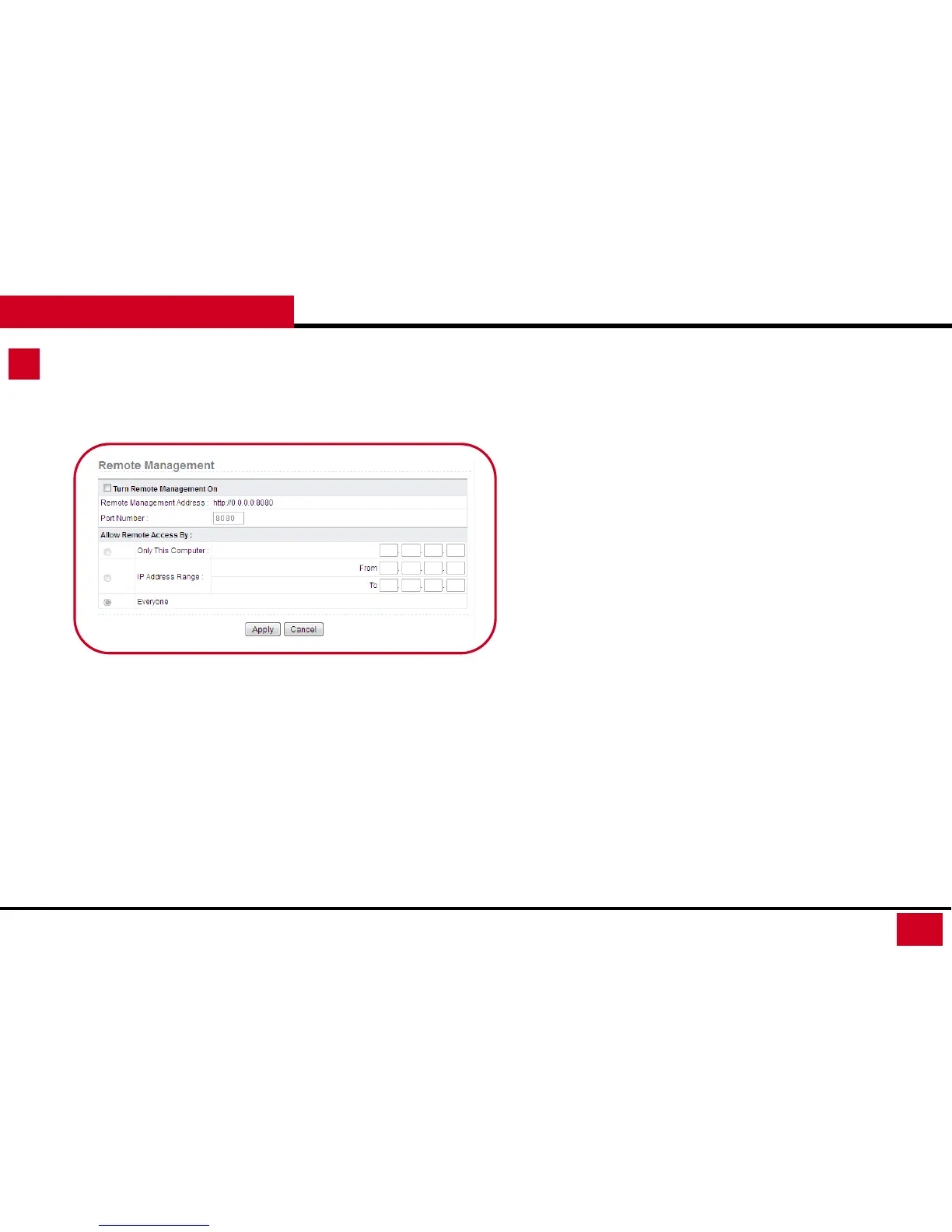
1. Remote Management: This function will allow login from
outside to your wireless router and is disable by default. It is
best to turn remote management off after use for safety.
• Turn Remote Management On: Enable / Disable
• Remote Management Address: The whole displayed
address is what you need when access from outside.
• Port Number: It is best to use 8080, unless under a
complex network environment. You may want to check
with your network administrator.
• Allow Remote Access By: Set the computer which can remotely
access the router.
• Only This Computer: Only the specified IP address can
access the router.
• IP Address Range: A range of IP addresses on the
Internet can access the router.
• Everyone: Everyone on the Internet can access the
router.



 To Next Page