Problem. I follow the steps, but I am not able to open router’s web management page after type in 192.168.1.1 on my web browser.
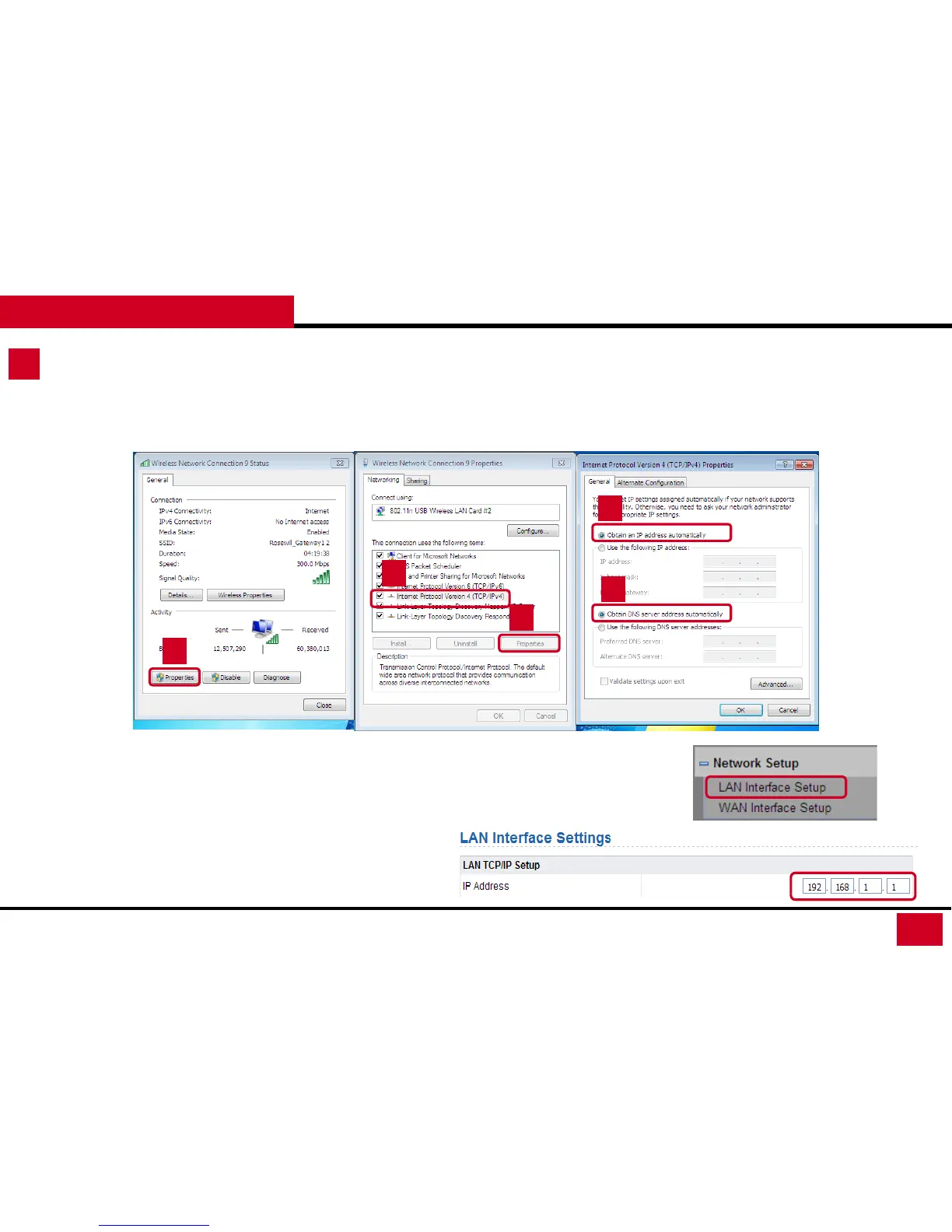
Solutions. 1. Check if your computer connected to L600N has being set as a “Fixed IP”. You may want to change to “DHCP” setting.
• WIN7 / Vista
1
2
3
4
4
2. Check if your computer is connecting to any wireless / wired network other than L600N.
3. You may have a IP conflict on your modem and the router. Please go to LAN Interface Setup
and change the IP Address to 192.168.x.1 (x can be any number from 2 to 255), then click
Apply.
L600N - Dual Band Wireless Router
64
TROUBLESHOOTING



 To Next Page