L600N - Dual Band Wireless Router
46
CONFIGURATION GUIDE
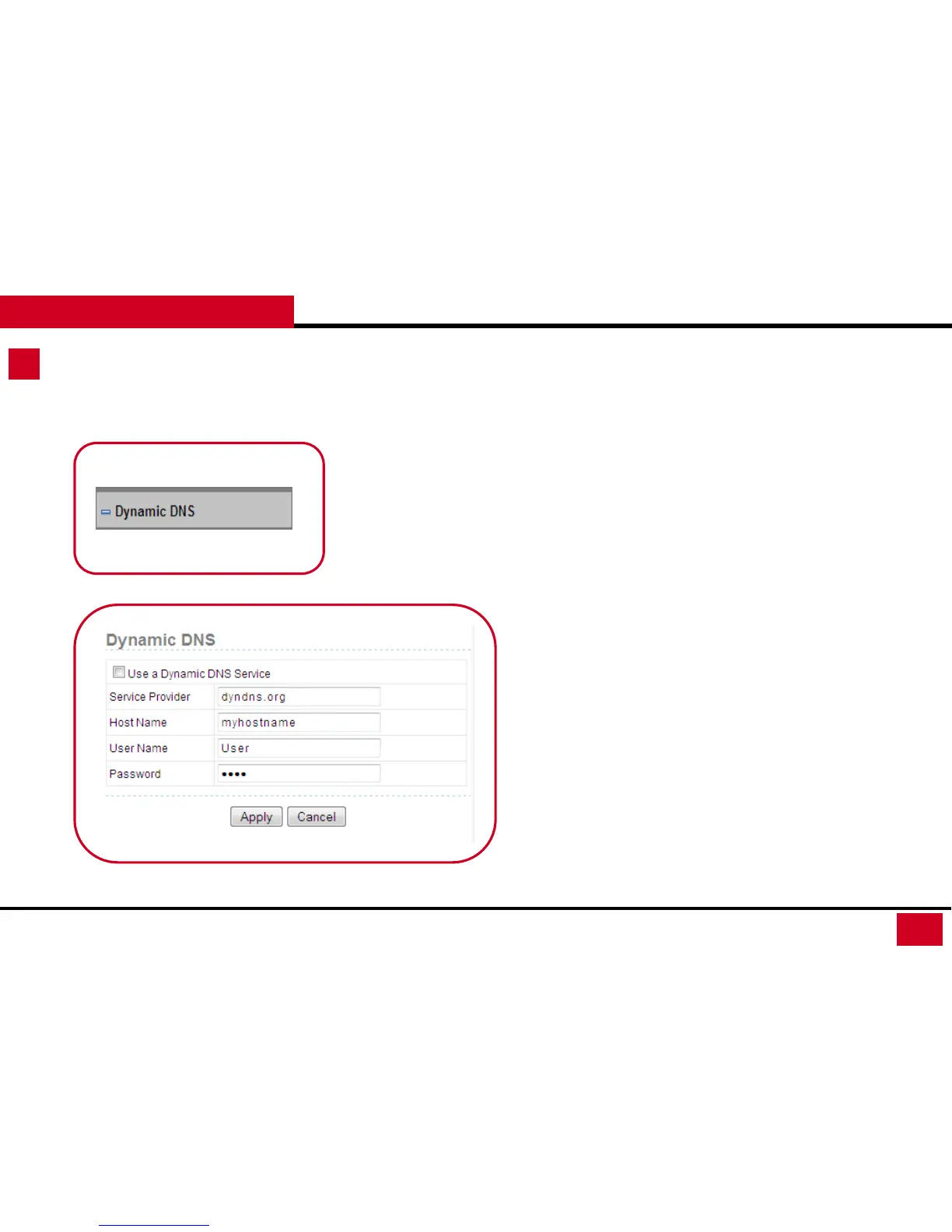
Dynamic DNS
Dynamic DNS: Dynamic DNS is a service linking with outside
Dynamic DNS service provider to keep track of a web domain
name or web address linked to the changing IP address that your
ISP provides you. If you want to use a DDNS service, you need to
register for it.
• Use a Dynamic DNS Service: enable / disable
• Service Provider: You can manually enter the Service provider’s
web address. (Please check with your Dynamic DNS provider)
• Host Name: This is for entering the host name that your
Dynamic DNS provider give to you.
• User Name: This is for entering the user name that you
registered with the Dynamic DNS provider.
• Password: This is for entering the password that your Dynamic
DNS provider gives to you.



 To Next Page