L600N - Dual Band Wireless Router
45
CONFIGURATION GUIDE
Access Control – QoS Setup
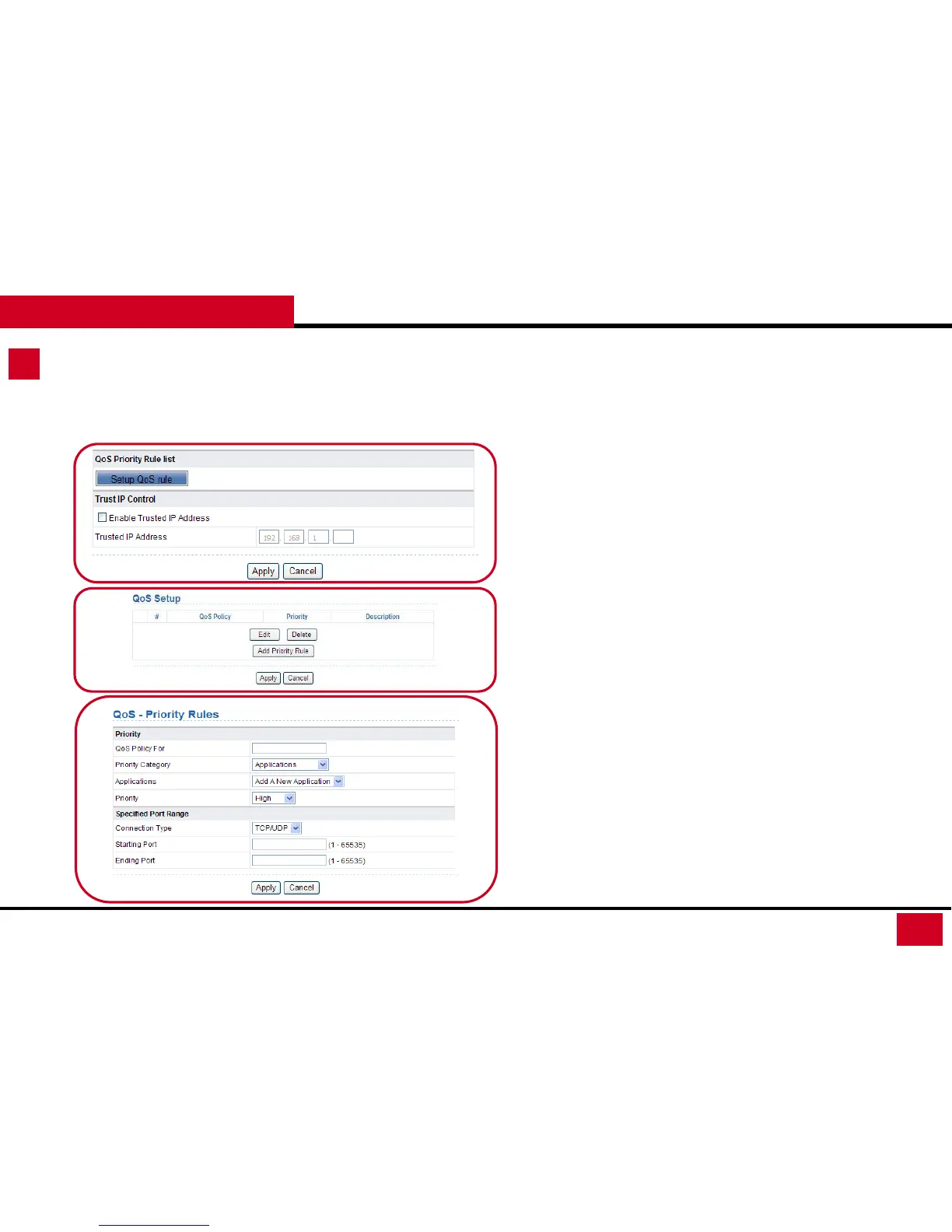
• QoS Priority Rule List: QoS function sets priority policies on
applications, online games, Ethernet LAN ports, and MAC
addresses to optimizes your network performance.
• QoS Setup: Click Add Priority Rule to add QoS policies.
• QoS – Priority Rules:
• QoS Policy For: Enter the name of the QoS policy.
• Priority Category: You can select Applications, On-line
Gaming, Ethernet LAN Port, and MAC Address.
• Depending on which Category you select. If you want to
add Applications and On-line Gaming. You will need to
identify the Connection type and Specific Port Range for
the router. (Specific information can be obtained from
the software providers.)



 To Next Page