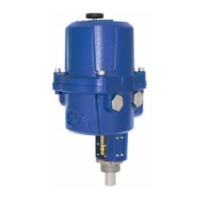
Digital Input DI-1 Applicable to IQ/IQT/Skil/EH actuators only. This bit reports the status
of the contact connected to the actuator hard-wired Open terminals.
The input can be used to control the actuator or simply to report the
status of a plant feedback signal. The function is set in the Auxiliary
Input Mask parameter which determines whether the bit is reported as
true (1) for a closed contact or an open contact and whether the input
controls the actuator or not. Note that the input is always reported
even when it is also controlling the actuator.
Digital Input DI-2 Applicable to IQ/IQT/Skil/EH actuators only. This bit reports the status
of the contact connected to the actuator hard-wired Close terminals.
The input can be used to control the actuator or simply to report the
status of a plant feedback signal. The function is set in the Auxiliary
Input Mask parameter which determines whether the bit is reported as
true (1) for a closed contact or an open contact and whether the input
controls the actuator or not. Note that the input is always reported
even when it is also controlling the actuator.
Digital Input DI-3 Applicable to IQ/IQT/Skil/EH actuators only. This bit reports the status
of the contact connected to the actuator hard-wired Stop/Maintain
terminals. The input can be used to control the actuator or simply to
report the status of a plant feedback signal. The function is set in the
Auxiliary Input Mask parameter which determines whether the bit is
reported as true (1) for a closed contact or an open contact and
whether the input controls the actuator or not. Note that the input is
always reported even when it is also controlling the actuator.
Digital Input DI-4 Applicable to IQ/IQT/Skil/EH actuators only. This bit reports the status
of the contact connected to the actuator hard-wired ESD terminals.
The input can be used to control the actuator or simply to report the
status of a plant feedback signal. The function is set in the Auxiliary
Input Mask parameter which determines whether the bit is reported as
true (1) for a closed contact or an open contact and whether the input
controls the actuator or not. Note that the input is always reported
even when it is also controlling the actuator.
A configuration feature also allows DI-4 to be set to act as a ‘Disable
Network Control’ input. In this mode when the input is made
(irrespective of the Auxiliary Mask setting) the actuator cannot be
controlled over the network. This can be useful during plant
commissioning to prevent unwanted valve movement.
Slow Mode Applicable to IQT actuators only. In positioning mode, when the IQT
actuator approaches its setpoint the motor automatically switches to
‘slow mode’ and the actuator runs at a lower speed. This allows any
developed inertia to be dissipated and a better positional accuracy to
be achieved without overshoot. The deviation from the setpoint at
which slow mode is adopted is set in the associated parameter.
When slow mode is in use this bit will be true (1).
The IQ and Q actuators also report this bit, but these actuators do not
have a slow mode capability.


 To Next Page