Setting Up a Card
Publication PUB088-005-00_1017 79 of 84
Pakscan Modbus Data Base Information
8.2 Setting up the network address in the PFU
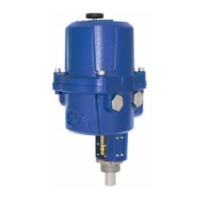
The IQ and IQT actuator includes an infra-red communication port for setting the network address for
the actuator. The other actuators require the address to be set up over the Profibus network using a
class 2 master.
8.3 Setting up an IQ or IQT with the Infra-red Setting Tool
The IQ and IQT actuator includes an infra-red communication port for setting the actuator
performance, limit switches and so on. This communication link can be used to set some, but not all,
of the PFU parameters.
The diagram illustrates the access route through the actuator menu screens to reach the settings that
affect the PFU.
Note that the [Od] function must be set to [OP]; if it is not then the card will not be able to
control the actuator.
The parameters that may be set by using the Setting Tool and the infra-red link are listed below. The
available range for the deadband setting when using the setting tool is less than the range found using
the other configuration tools.
Limited Range Position Minimum
Limited Range Position Maximum
Nothing (No Action), Stop,
Close, Open, Position
Note: - When altered, the new value will only take effect after the actuator power has been
cycled twice.
Note: Parameters may only be altered by the IR link if the actuator control knob is set to the Local
or Local Stop position.
Note: Unless parameter 25 (Permit GSD parameterisation) is set to ‘0’, any modification from the
GSD setting to the parameters listed in this section will be lost in the event of a power cycle
or bus reset (if the actuator is connected to a master on the Profibus highway).
This is because the master will write to the Profibus card with the settings that it has for that
device in its configuration file, created from the GSD.
Parameter updates should either be completed with an update to the GSD file OR if using
the Infra-red tool, parameter 25 must be set to ‘0’.


 To Next Page